Operator Access #
Login #
- Navigate to the URL specific to your library service and fill out the login form with Username and Password.
- Click on Login

Logout #
- Click on the operator’s name in the top navigation bar.
- Click on Logout.

Change password #
- Operators can change their password, if required.
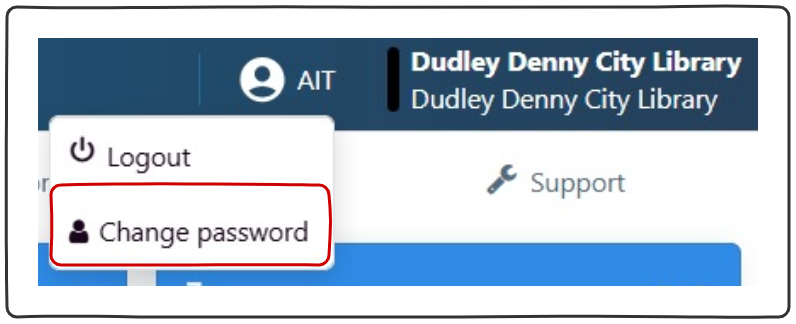
- Click on operator’s name in the top navigation bar.
- Click on change password.
- Follow onscreen prompts.
- Submit.
Change location #
- Operators can change the location they are logged into, if required.
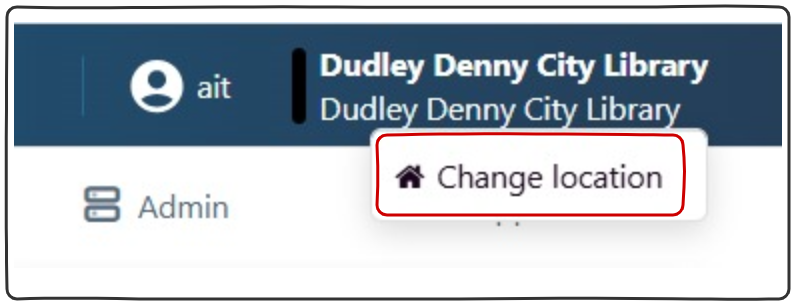
- Click on library location in the top navigation bar.
- Click on ‘Change location’.
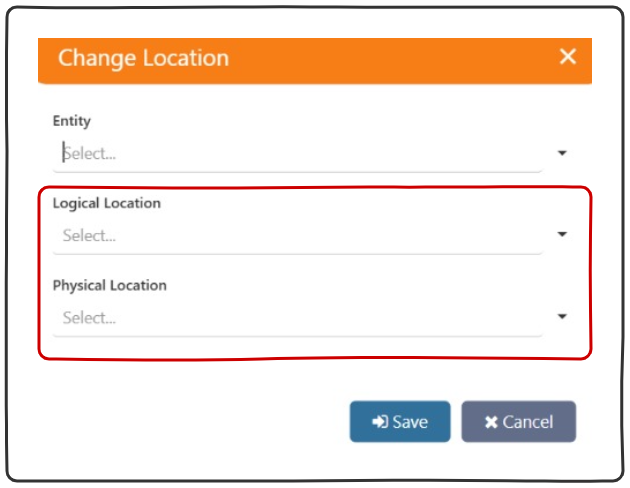
- On the ‘Change Location’ pop up select the ‘Logical Location’ and the matching ‘Physical Location’.
- Note: if the library is part of a consortia, the operator will also have to select the ‘Entity’.
- Save.