Authorise Reviews #

Users may review works in Montage. These appear as ‘unauthorised reviews’ in Astria on both the home page and in Circulation > Authorise Reviews. Operators can edit, approve or delete these reviews as needed.
Filter search exists at the top of the page for each field to allow for easy management.
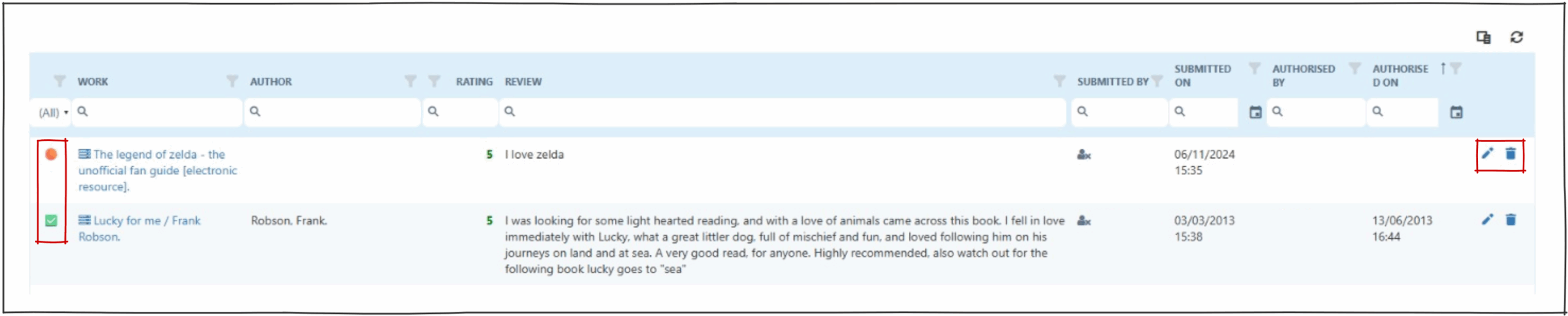
Page icons #
 This icon indicates an unauthorised review.
 This icon indicates an authorised review.
 Column chooser allows the operator to change displayed columns.
 This icon clears all filters.
 This icon opens the ‘edit review’ popup.
 This icon will delete the review.
Editing and approving reviews #
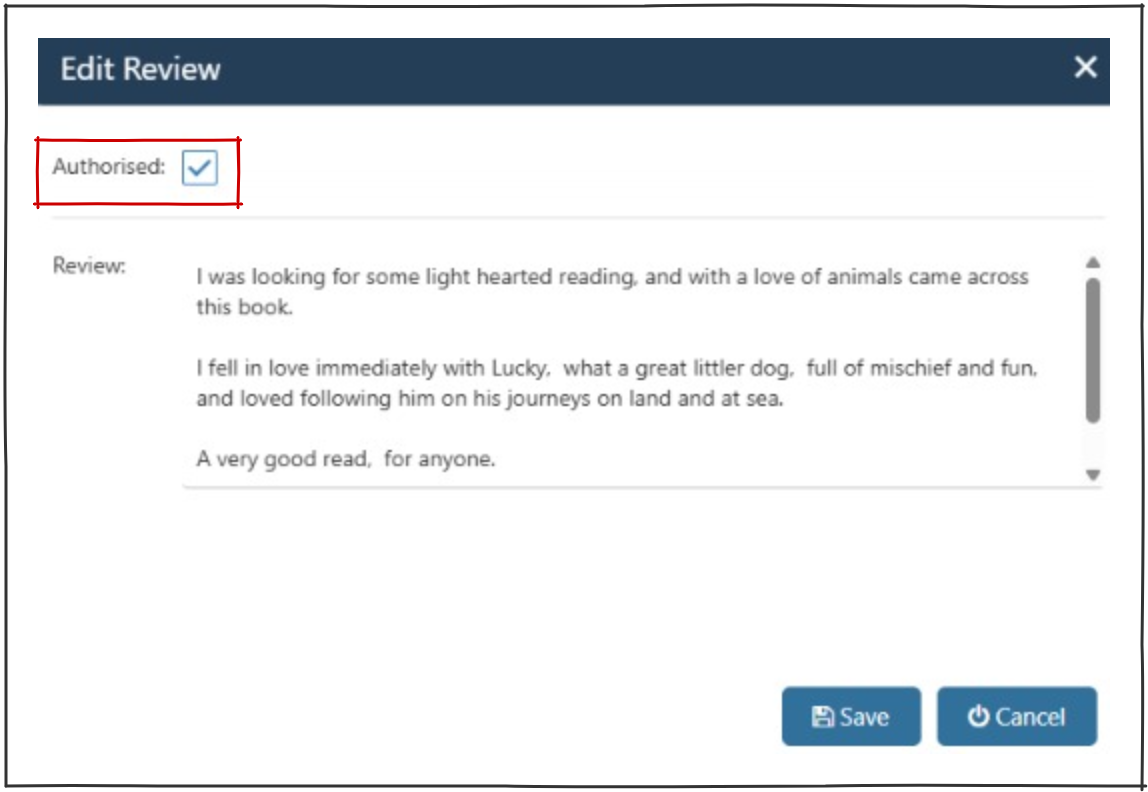
Clicking on the edit icon will open the ‘edit review’ popup. From here operators can:
- tick the ‘Authorised’ check box.
- edit the content of the review (check for spelling, grammar and appropriateness).
- save the review.
Operators can view all authorised and deleted reviews in the table, until deleted.
Users can view saved authorised reviews in Montage.