
User Suggestions #

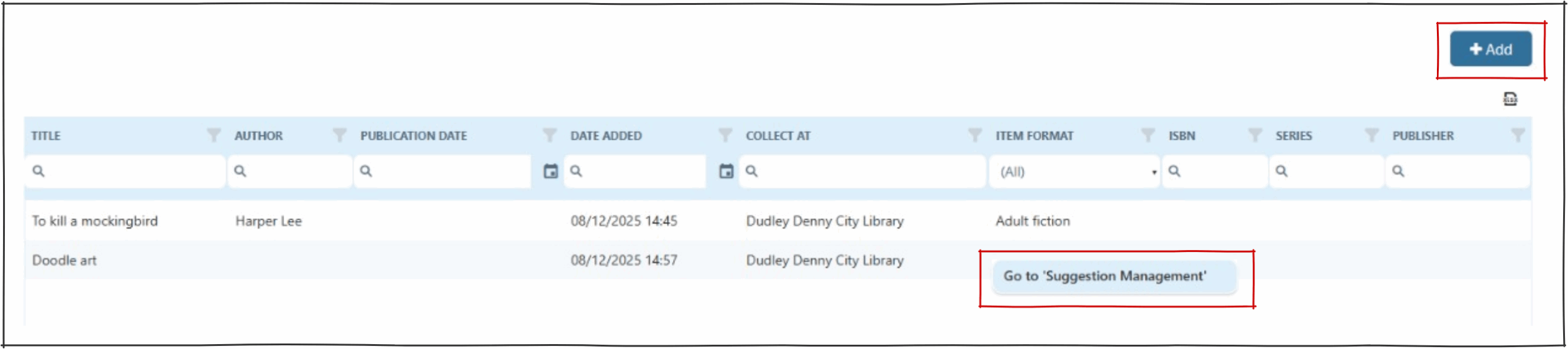
The user suggestion page provides a way for an operator to add a suggestion on behalf of a user., and to see all suggestions submitted under this user’s name.
NOTE : suggestions made by a user via Montage will also be displayed on this page.
Adding a suggestion #
Click on the add button  to open the suggestions page.
This will open the ‘Quick Suggestions’ page.
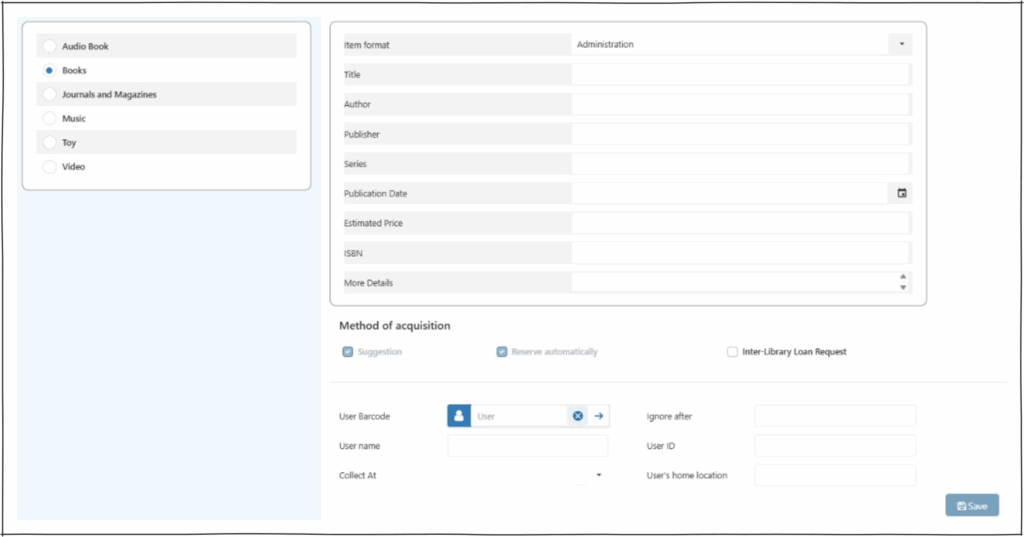
Suggestion management #
The right click context menu presents ‘Go to suggestion management’.
This opens the ‘Suggestions’ page. Here operators can act on suggestions.