
Social Section #
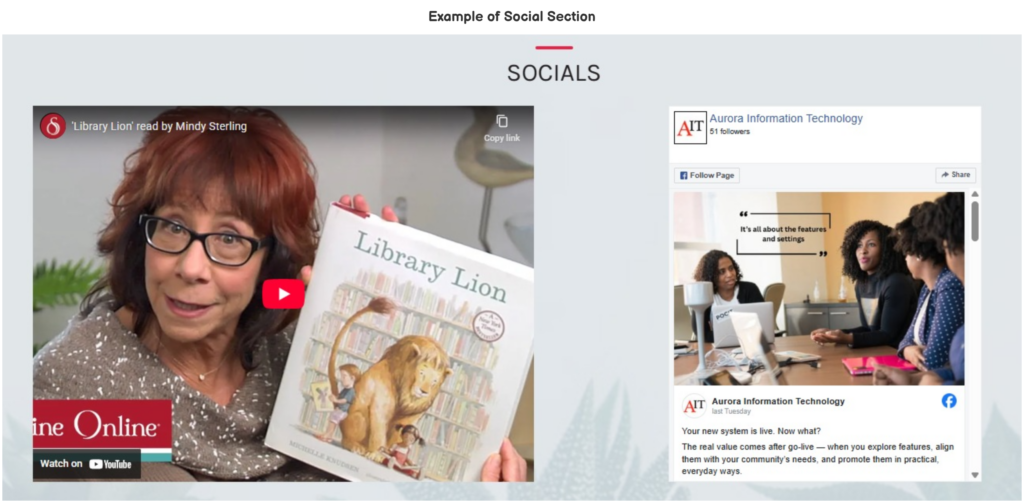
The Social Section can display YouTube and Facebook links.
This section can be customized in Home > Social Section.
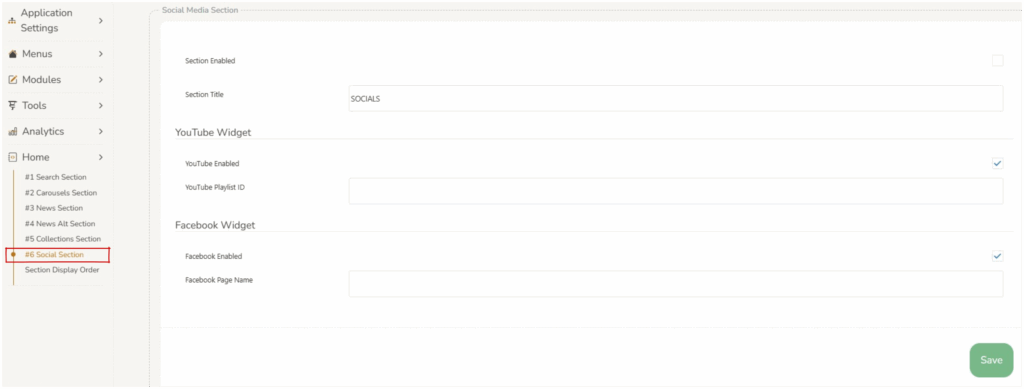
There are two main settings which control the overall display of the Social section.
- Title : displays at the top of the section as a heading.
- Enabled : if the
 checkbox is selected the entire Social section will display on the home screen. If this is not selected the Social section will not display.
Social Section Elements #
YouTube and Facebook widgets can be enabled separately, so either one or both can be displayed, by selecting the ‘section enabled’ checkbox.
YouTube link : operators can choose to display a YouTube playlist or single video. Enter a video ID (e.g., pHWX9ET28kI) or a playlist ID (e.g., UUxE0gG3R5J_uhKiiedrL4xA) or Paste the full YouTube link from your browser or share button
Facebook link : operators can add a link to a Facebook page by inserting the Facebook page name. The Facebook page name is located at the end of the url for a Facebook link (eg https://www.facebook.com/people/Aurora-Information-Technology/100076011177618/).
Saving Changes #
When any changes are made to the section, operators must press save at the bottom of the screen. 
Changing the order of the sections #
The order in which the sections display can be customized, refer to Section Display Order.