
Refinements #
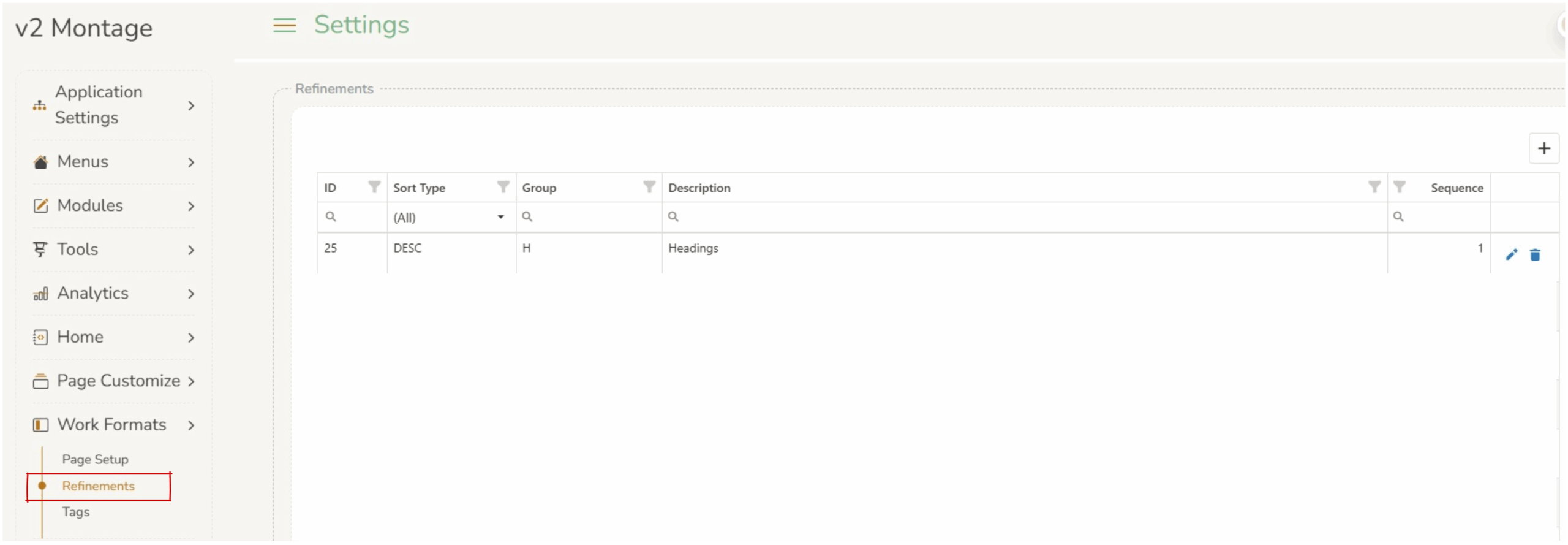
Refinements are the filter panels that appear on search result pages (e.g. Books, Video, Music). They let users narrow down search results by categories like Location, Language, Subject, Target Audience, etc.
Refinements #
The Refinements table in Montage’s database defines which refinement groups are active, what they’re called on screen, in what order they appear, and how they are sorted. Operators can edit existing refinements:
- Sort type : ASC – ascending; DESC – descending; DEF – no sorting is applied; the items appear in the order that AuroraWS returns them, which is typically by hit count (most results first).
- Group : The AuroraWS SearchGroup code (e.g. 0835 for Language)
- Description : The label to display to users (e.g. “Language”). This can be any plain-text label the operator chooses.
- Sequence : Display order of the refinements on the search page. The
Sequencenumber controls the display order of the refinement panels on the page. Duplicate sequence numbers will result in an unpredictable order between those two refinements. Best practice is to use unique sequence values.
After any changes to this table have been saved, operators must go to Tools > Cache Monitor and clear the cache for changes to take effect.

RefinementGroup is the code that AuroraWS uses internally to identify a type of refinement data. It must match the SearchGroup value that comes back from AuroraWS. These are Aurora-defined codes not free-text labels. Examples from your data:
| Group | Meaning |
|---|---|
U | Locations |
0835 | Language |
0822 | Target audience |
T | Titles |
S | Subjects |
N | Names |
E | Series |
4_DDC | Dewey Classifications |
3_SIC_Level3 | Special interest – Specific |
H | Headings |
ONSHELF | On Shelf |
An operator should only add a group code that AuroraWS is known to return, they can’t make up new ones. The valid codes are determined by what Aurora indexes.
Page Refinement Exclusions #
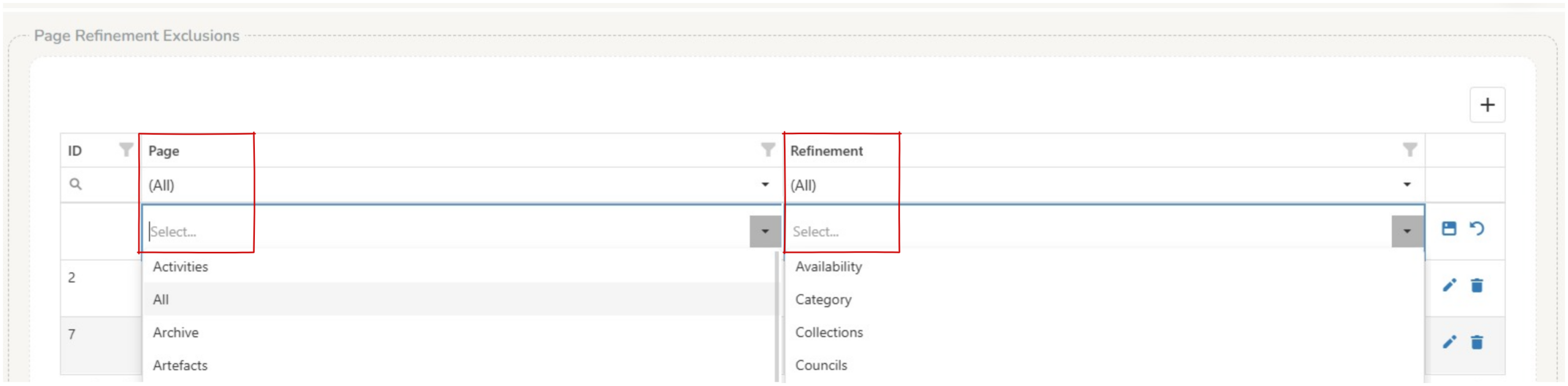
Page refinements exclusions allows operators to identify specific refinements to be omitted from specific pages (eg On the images page the operator does not want the language refinement to present, so they create an exclusion).
Adding a new page refinement exclusion – click on the  add a row button
- Page : The page refers to the displayed page (*.aspx) select from a drop down box of existing pages.
- Refinement : Select the refinement you do not want to display.
- Save
 each row
After any changes to this table have been saved, operators must go to Tools > Cache Monitor and clear the cache for changes to take effect.
Exclude Refinements by Filter ID #
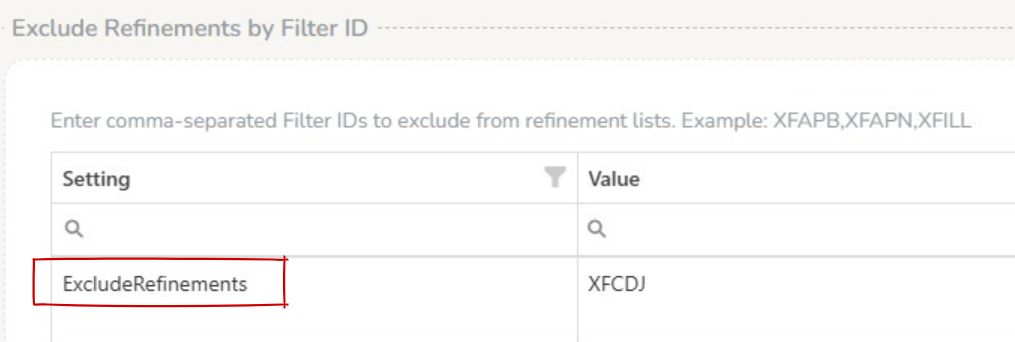
Enter comma-separated Filter IDs to exclude from refinement lists. Example: XFAPB,XFAPN,XFILL.
When refinements are assembled, any refinement row whose Filter column exactly matches one of these IDs is removed from all pages globally before rendering.
This is useful when a specific filter value should never appear site-wide.
Using the Locations refinement as an example — if you had a location with Filter ID XLloc6, adding XLloc6 to this list would hide just the “Sarina” option from the Locations panel, while all other locations would continue to appear normally.
After any changes to this table have been saved, operators must go to Tools > Cache Monitor and clear the cache for changes to take effect.