
Montage Settings #
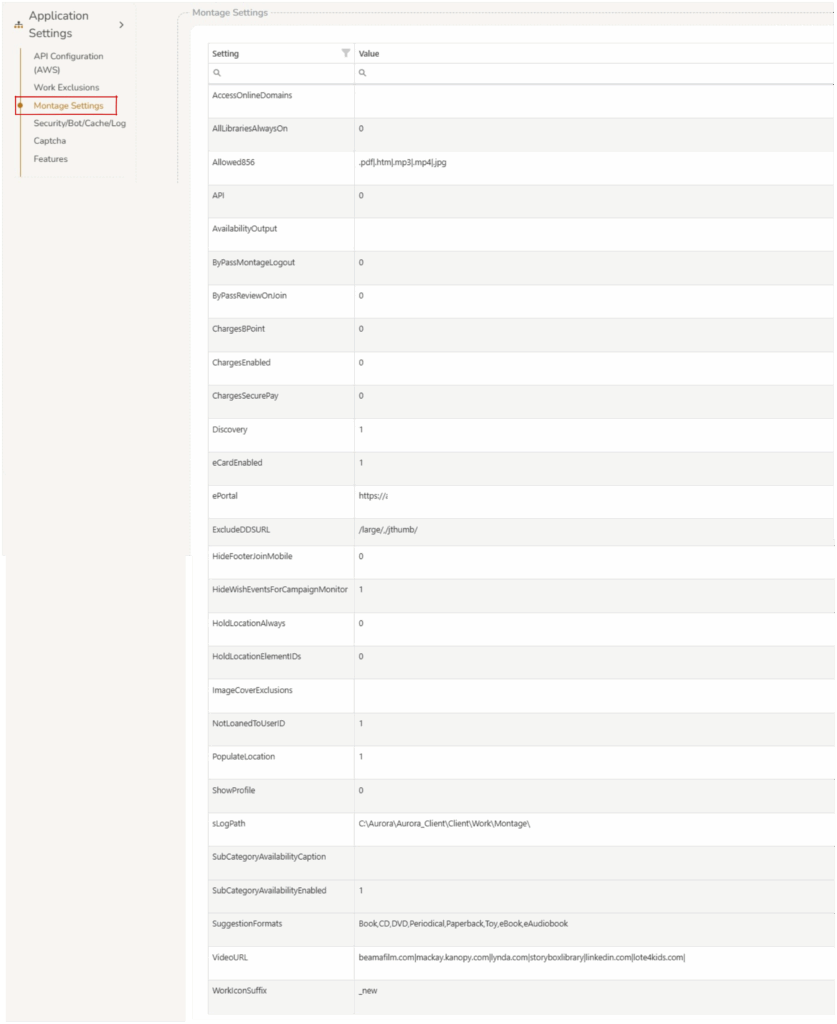
Montage Settings controls certain aspects of Montage. Values set to 1 will turn on the setting. Value set to 0 will turn off the setting.
- AccessOnlineDomains :
- AllLibrariesAlwaysOn :
- AllLibrariesRefinement :
- Allowed856 :
- API :
- autoCompleteEnabled : This adds a dynamic search field to Step 3 (Home Address) and conditionally to Step 4 (Postal Address – only when “Other address” is selected). When users type an address, Google’s autocomplete service provides suggestions restricted to Australian addresses, and upon selection, automatically populates the individual address fields (street number, street name, suburb, postcode, state).
- autoCompleteRestrictAU : Restricts the above Google autocomplete to addresses to within Australia.
- AvailabilityOutput :
- ByPassMontageLogout :
- ByPassReviewOnAddressChange : Set to 0 — If a user makes address updates on their Montage account the user’s account will be placed into ‘Review’ status, requiring library staff to validate the change before the account is re-activated (current default behaviour). Set to 1 — If a user makes address updates on their Montage account there will be no impact to user status. If set to 0 (review status) operators can edit the Address Change Warning in Page Customize >
User Details. - ByPassReviewOnJoin :
- ChargesBPoint :
- ChargesEnabled :
- ChargesSecurePay :
- DisableItemStatusCheckOnReserves :
- Discovery :
- eCardEnabled : Set to 1 allows users to join as ecard user.
- ePortal :
- ExcludeDDSURL :
- HideFooterJoinMobile :
- HideWishEventsForCampaignMonitor :
- HoldLocationAlways :
- HoldLocationElementIDs :
- ImageCoverExclusions :
- NotLoanedToUserID :
- PopulateLocation :
- sanitizeHtmlDisabled :
- ShowProfile :
- sLogPath :
- SubCategoryAvailabilityCaption :
- SubCategoryAvailabilityEnabled :
- SuggestionFormats :
- VideoURL :
- WorkIconSuffix :