
API Configuration (AWS) #
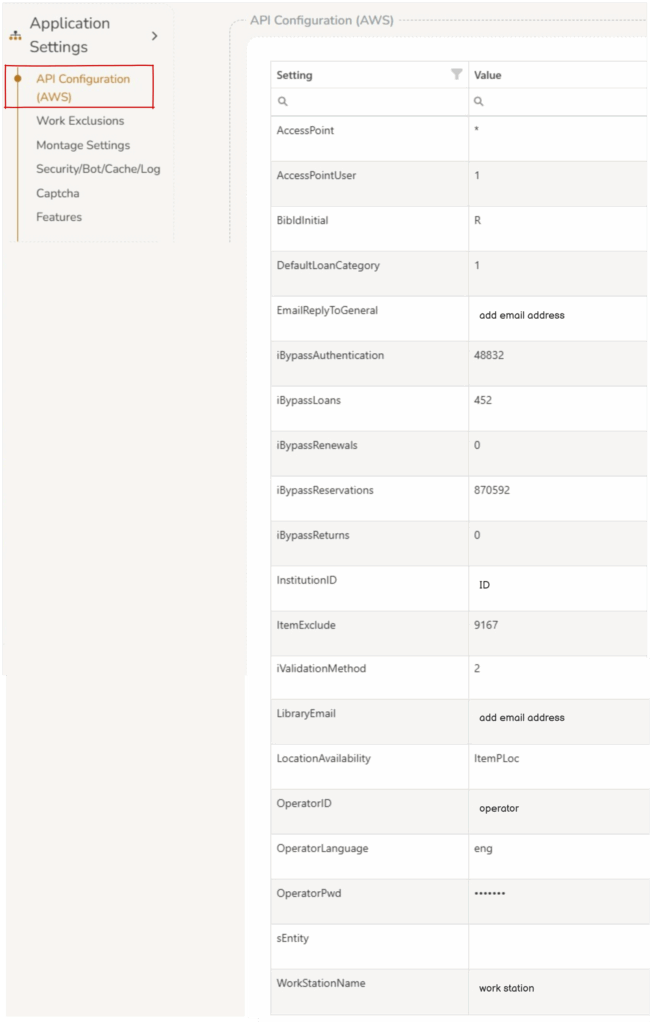
Some of these settings should only be changed with AIT support.
- AccessPoint
- AccessPointUser
- BibIdInitial
- DefaultLoanCategory
- EmailReplyToGeneral
- iBypassAuthentication
- iBypassLoans
- iBypassRenewals
- iBypassReservations
- iBypassReturns
- InstitutionID
- ItemExclude
- iValidationMethod – This is the setting which controls if user’s are required to add a password or PIN or both. Most libraries use one or the other. This setting is a numeric field selected from the below options:
- 0 = Both PIN and Password are used
- 1 = PIN only (tbPIN 4 digits)
- 2 = Password only (tbPWD longer, alphanumeric)
- Operators can suppress the unwanted field in Page Customize > Join by unchecking IsEnabled on the relevant row.
- Note if the iValidationMethod is changed when existing users have already joined, the page will present PIN/Password according to the iValidationMethod.
- LibraryEmail
- LocationAvailability
- OperatorID
- OperatorLanguage
- OperatorPwd
- sEntity
- WorkStationName