
Physical Assistance #
When enabled, portrait displays will show a physical assistance button in the bottom-left corner. Users can click this button to shift all content to the lower portion of the screen, making it easier to reach for wheelchair users, children, and individuals with limited reach.
Settings #
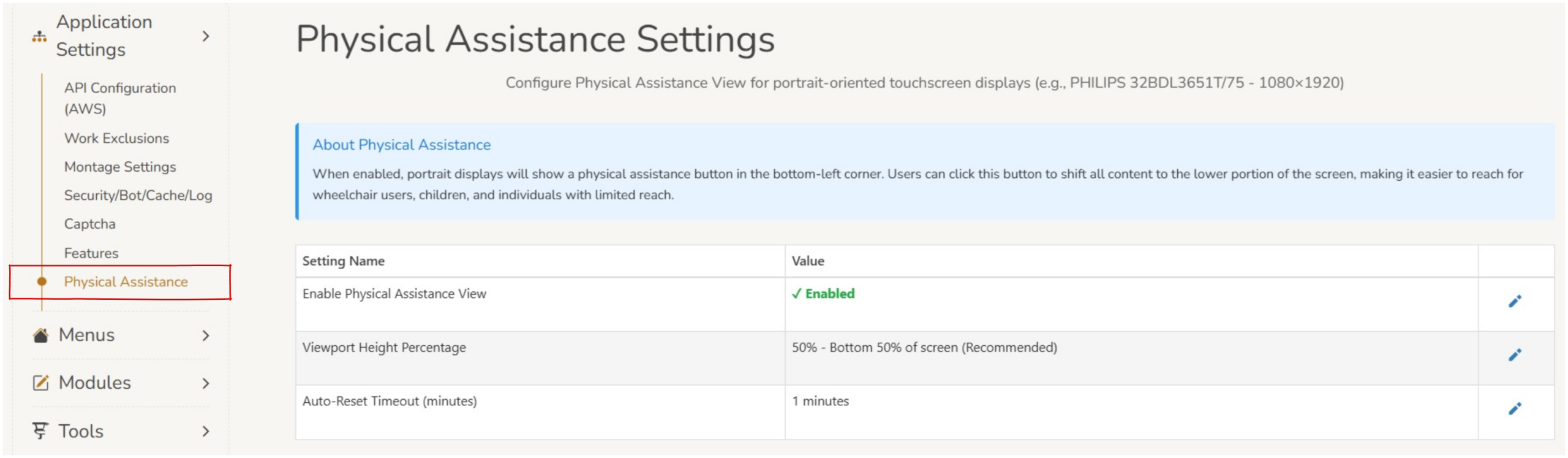
- Enable physical assistance view – This can be toggled between enabled and disabled.
- Viewpoint height percentage – This setting determines how much of the total screen the display will present on. This can be set at 30%, 40%, 50% (recommended) or 60% of the bottom of the screen.
- Auto-Reset Timeout (minutes) – This determines the duration of inactivity before the screen reverts to 100% view of the screen. This can be set to any number of minutes.
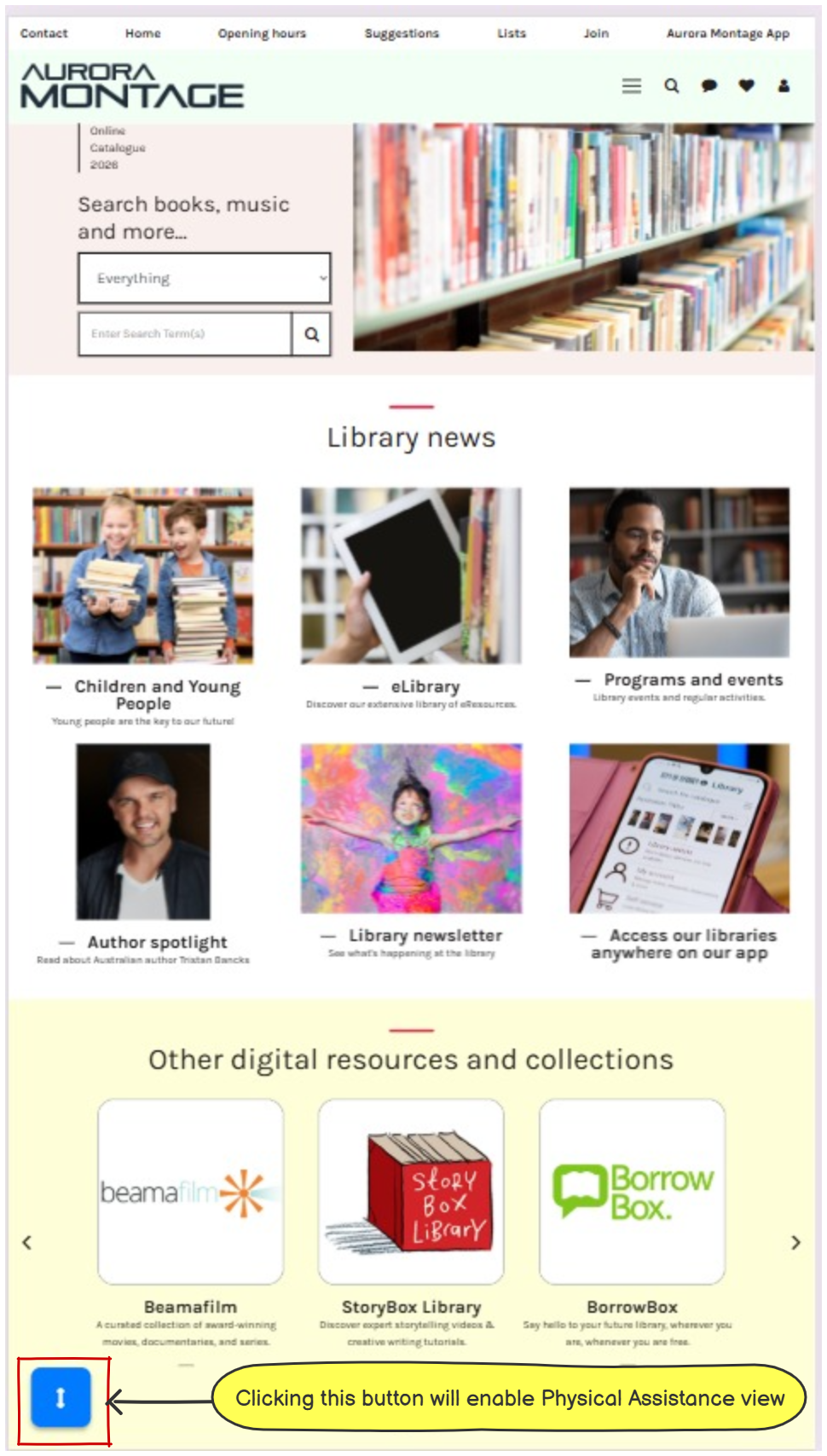
When enabled the  blue ‘enable Physical Assistance’ icon will appear on the screen.
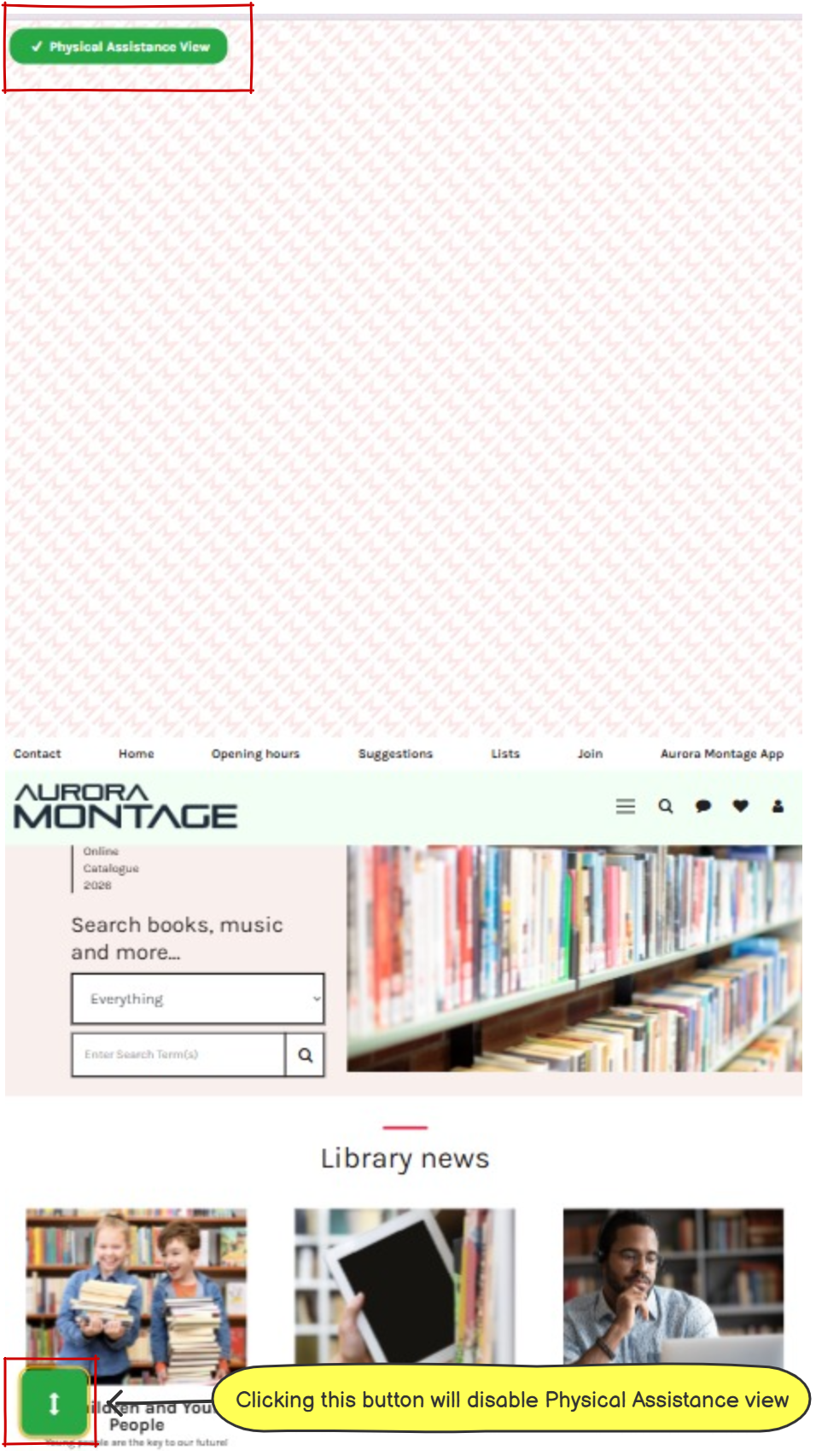
To disable the physical assistance view click on the  green ‘disable Physical Assistance’ icon