
News Alt Section #
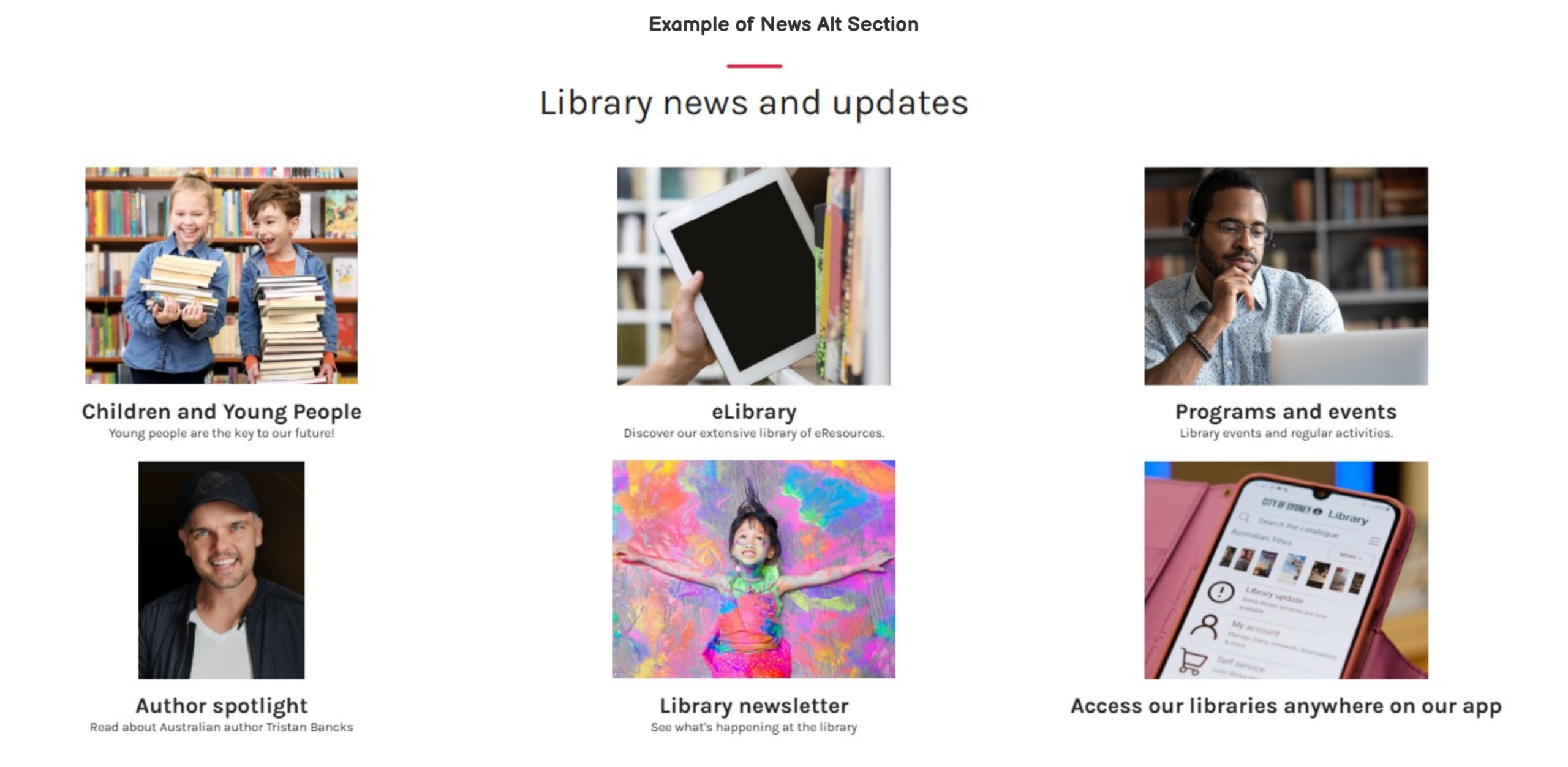
Multiple news articles can be displayed in the News Alt section.
This section can be customized in Home > News Alt Section.
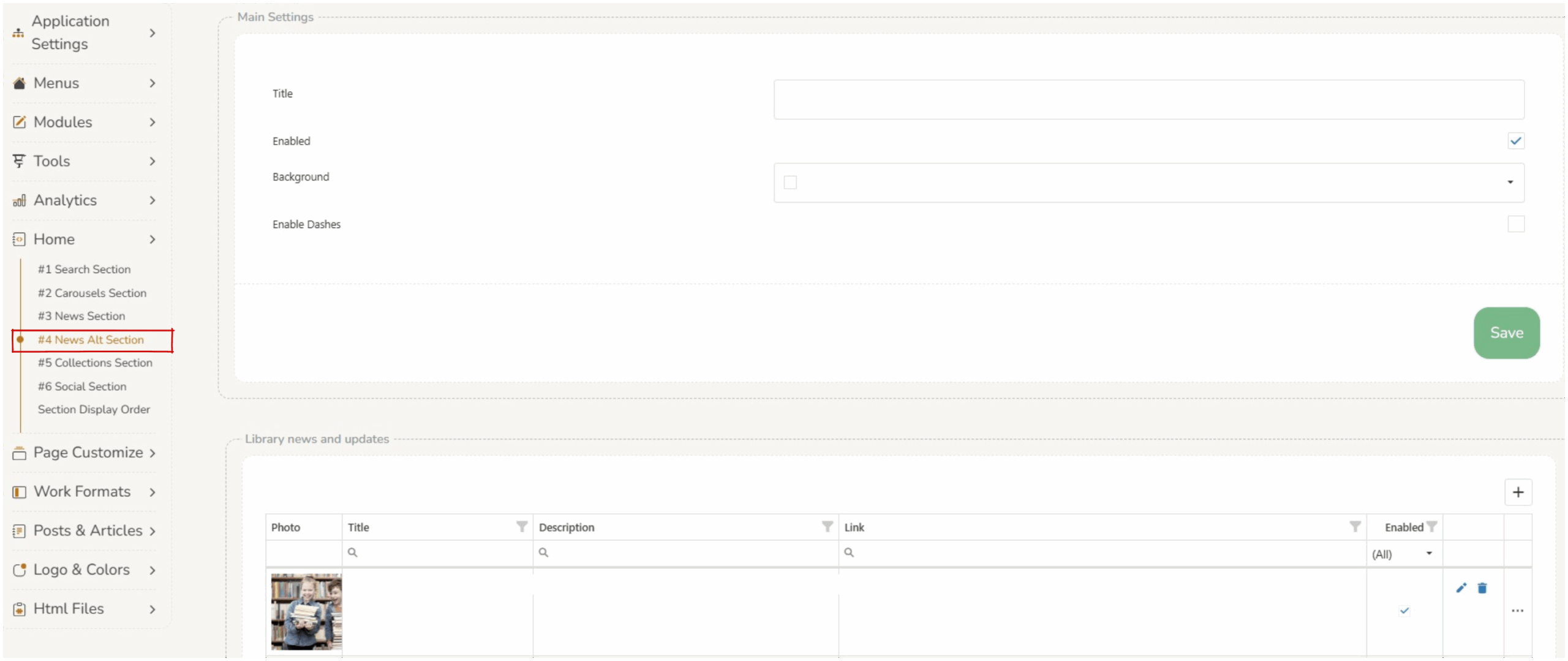
There are four parameters which control the overall display of the news alt section.
- Title – displays across the top of the section (can be left blank).
- Enabled – if the
 checkbox is selected the entire news alt section will display on the home screen. If this is not selected the news alt section will not display.
 - Background – changes the background color of the entire news alt section.
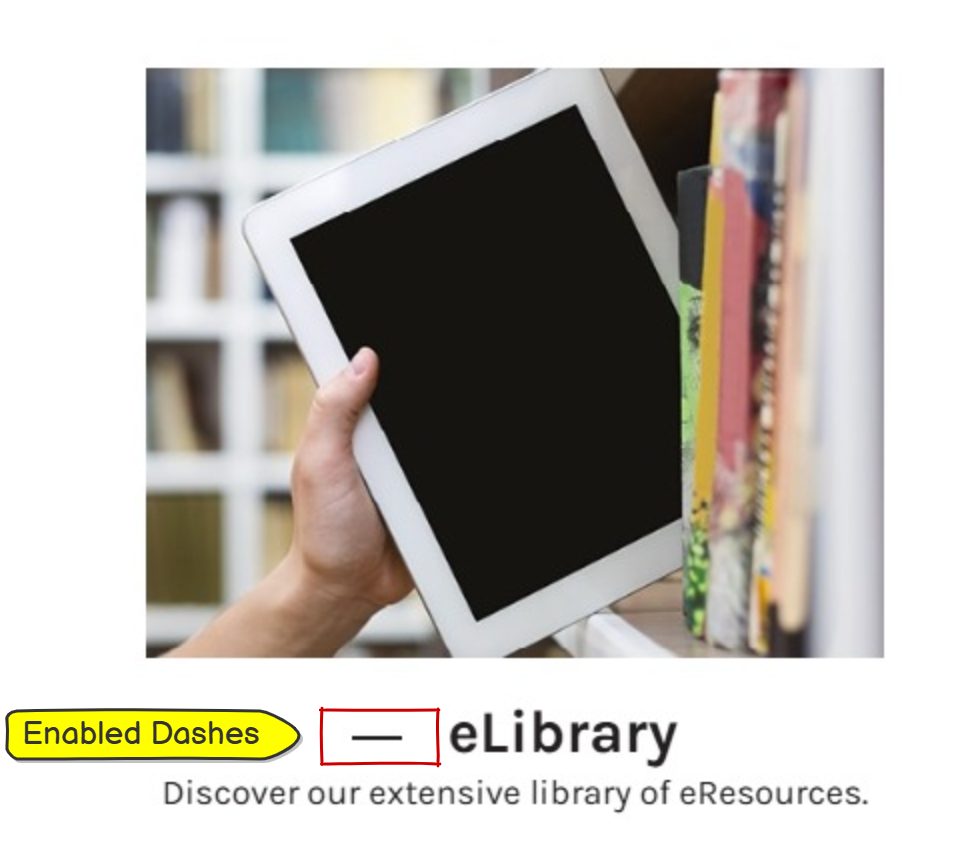
- enabled dashes – if thecheckbox is selected horizontal dashes will display in front of each news item title.
News Alt Elements #
Add New – Operators can add news items by clicking on the  add button in the top right corner of the ‘library and news updates’ box.
Edit Existing – Operators can edit existing news items by clicking on the  edit icon in the row of the required feature.
Delete Existing – Operators can delete existing news items by clicking on the delete icon in the row of the required feature.
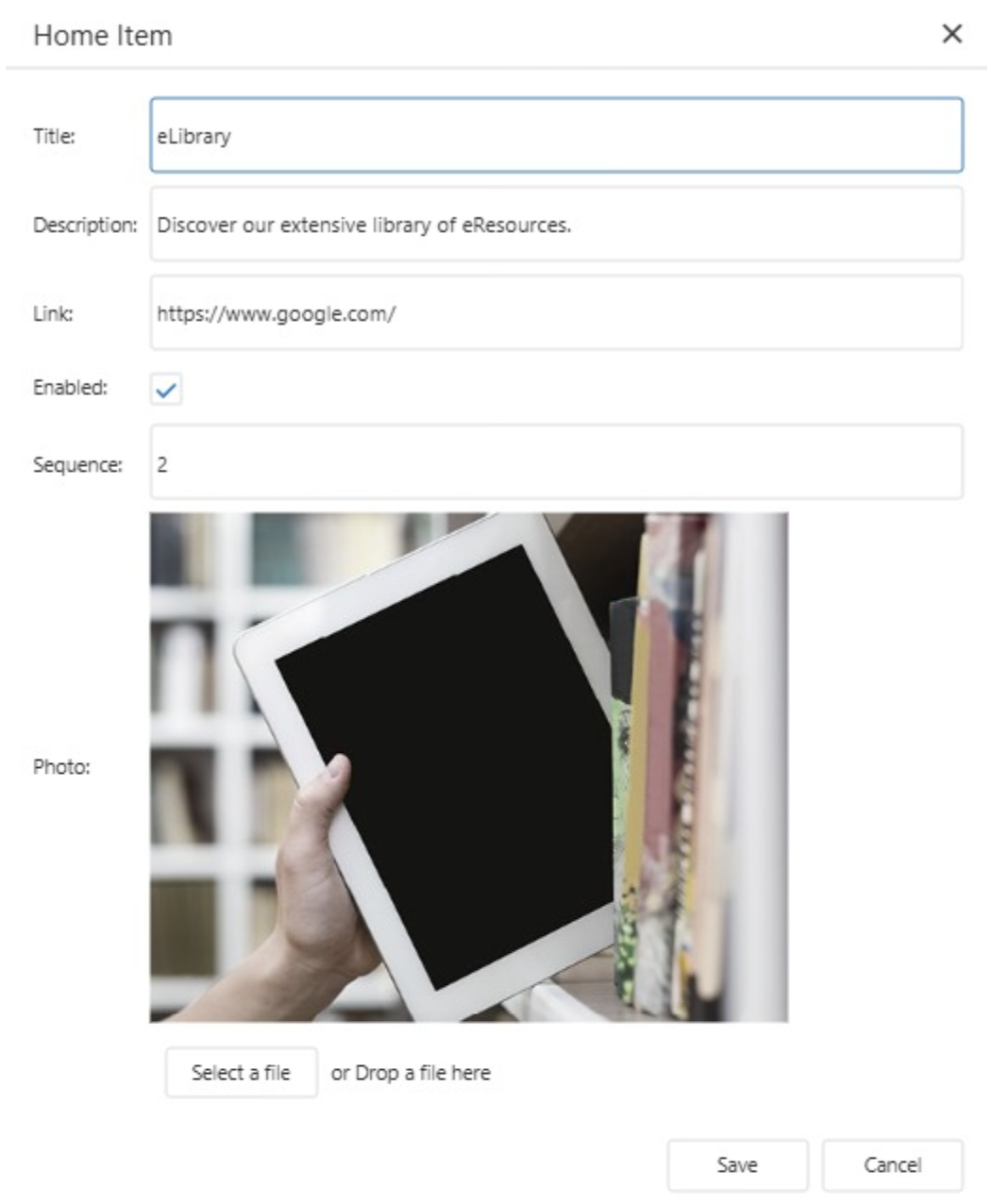
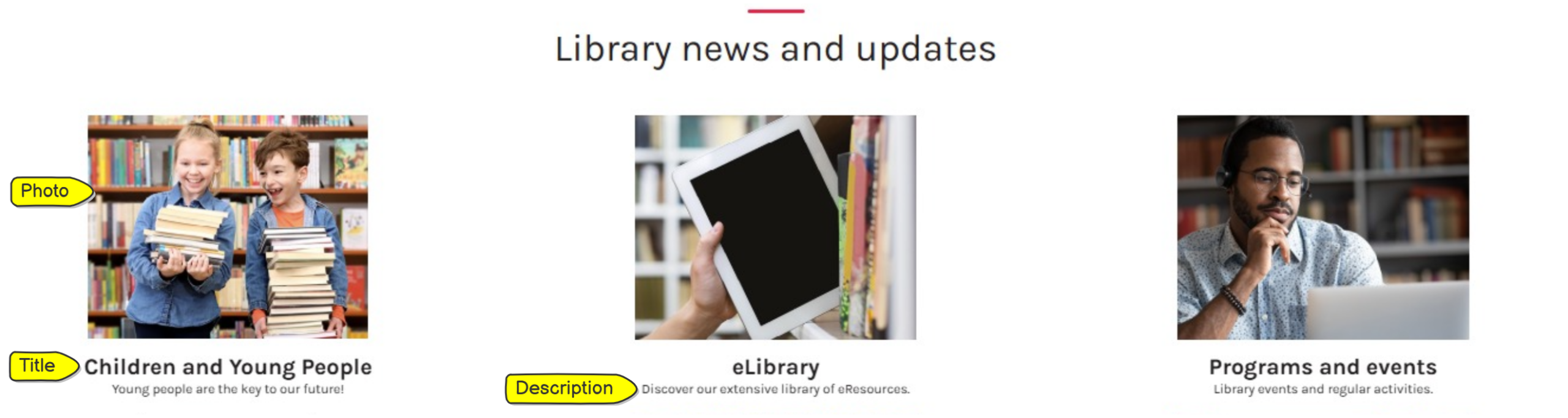
- Title – displays below the image as a heading (can be left blank).
- Description – displays below the title and provides brief details of the news item (can be left blank).
- Link – a url can be added here, this will hyperlink the image of this news item (can be left blank).
- Enabled – if thecheckbox is selected the news item will display on the home screen. If this is not selected the news item will not display.
- Sequence – this determines the order of the news items in the news alt section (1 is top left and subsequent numbers flow across and down the page).
- Photo – any images can be uploaded using the ‘select a file’ button. Operators should consider copyright when sourcing images. Extremely large files will not upload.
Saving Changes #
When any changes are made to the section, operators must press save at the bottom of the screen. 
Changing the order of the sections #
The order in which the sections display can be customized, refer to Section Display Order.