
Carousels Section #
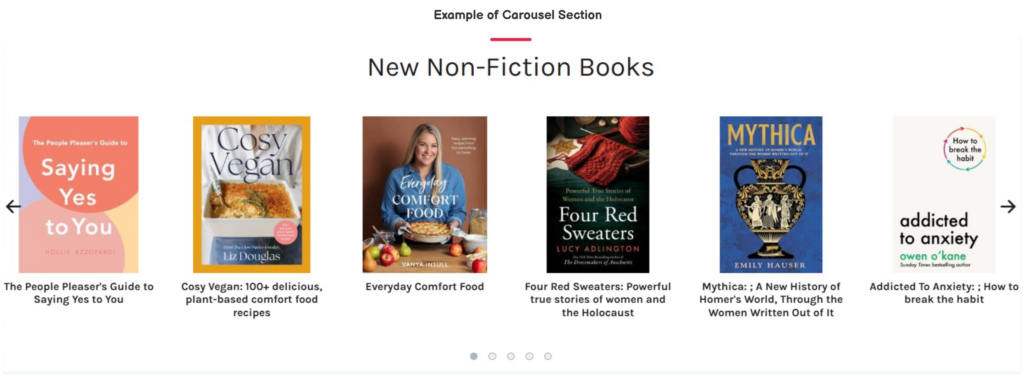
Up to 4 carousels can display on the home page (when enabled).
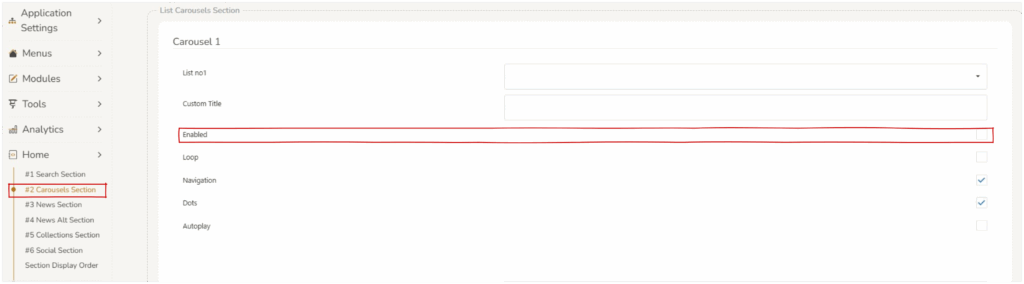
This section can be customized in Home > Carousels Section.
Carousel Elements #
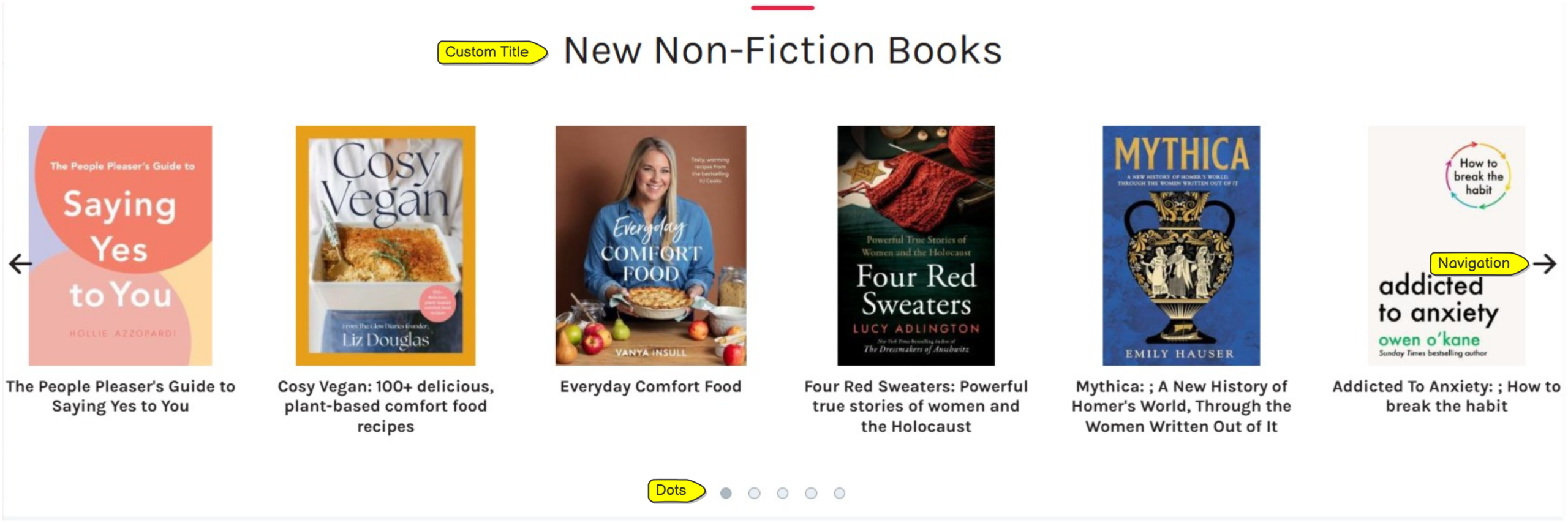
- List : Select from a drop down of available curated lists.
- Custom title : this is displayed at the top of the carousel.
- Enabled : if this
 checkbox is selected this carousel will display on the home screen.
 - Loop : if this checkbox is selected the carousel will be a continuous flow of works. Therefore the works will be a continuous flow and have no end or beginning.
- Navigation : if this checkbox is selected arrows will appear on the left and right of the carousel allowing a user to manually scroll through the works.
- Dots : if this checkbox is selected dots will appear at the bottom of the carousel allowing the user to move through the works in sections.
- Autoplay : if this checkbox is selected the carouse will automatically roll through all of the works in the carousel, without user action.
Saving Changes #
When any changes are made to the section, operators must press save at the bottom of the screen. 
Changing the order of the sections #
The order in which the sections display can be customized, refer to Section Display Order.