
Footer Info #
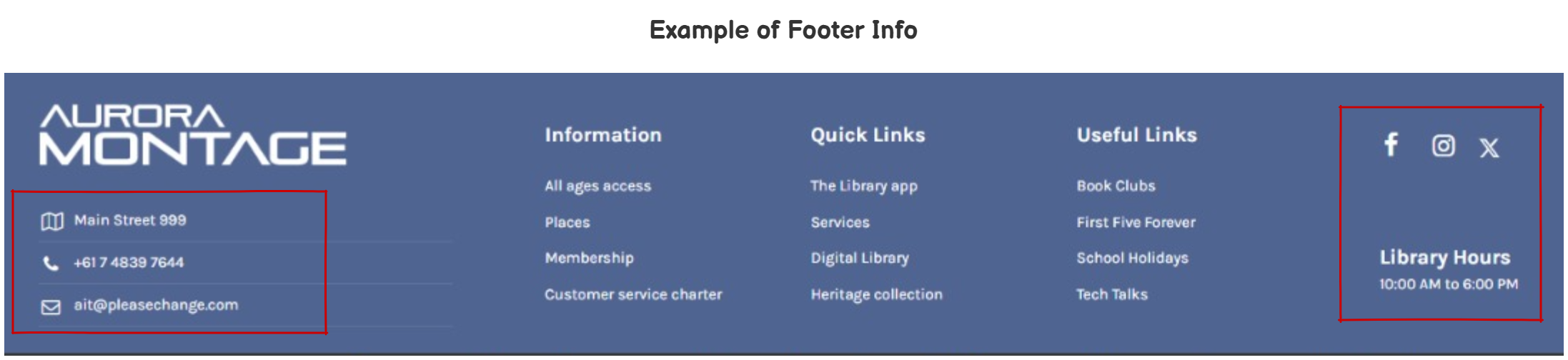
The footer info is displayed at the bottom of the page, split on the left and right.
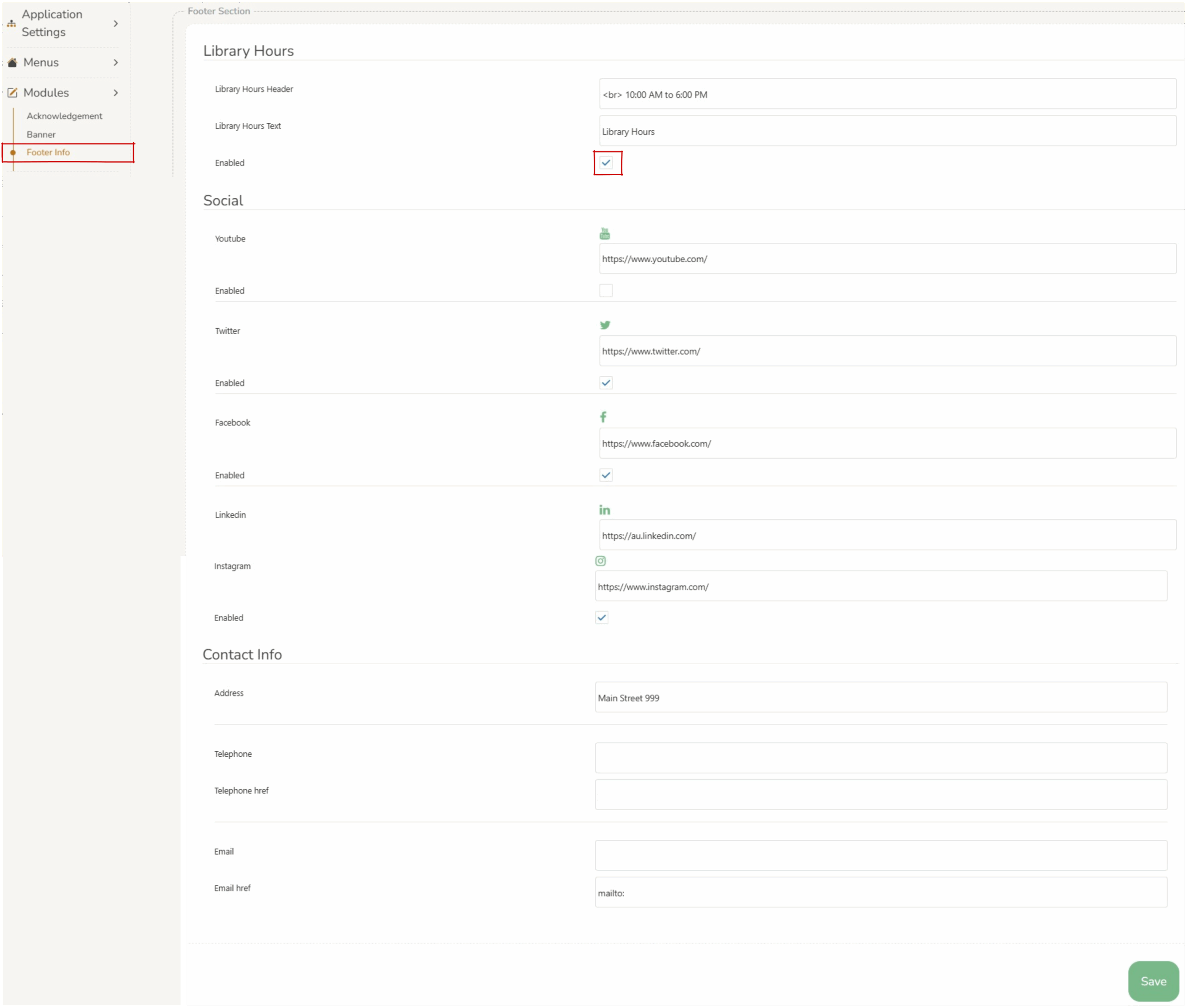
The three sections of the footer info are :
- Library Hours
- Appears on the right of the screen.
- Social
- Appears on the right of the screen as recognizable icons.
- Each of these can be individually turned on/off by clicking on
 ‘enabled’.
 - The url for each of these can be customised to directly link to a social media site.
- Contact Info
- Appears on the left of the screen.
- Physical address, telephone and email can be added.
- email href is a link that opens a new email when you click it. Format should start with “mailto:” followed by the email address to be used by patrons.
- Telephone href is a link that makes a phone call when you click it. Format should start with “tel:” followed by the phone number to be used by patrons.
The color of the background of the footer can be changed by selecting a color in the ‘background color’ field of the footer menu.