
Release Notes MontageV2 ( v15.10.08) #
Features #
| AREA | DETAILS | IMAGES (Click to enlarge) |
|---|---|---|
| Application Settings | Payment portal option is now available for online payment of fines. | |
| Montage Settings. Option now available to swap the payment portal between ‘ChargesSecurePay’ or ‘ChargesBPoint’. | 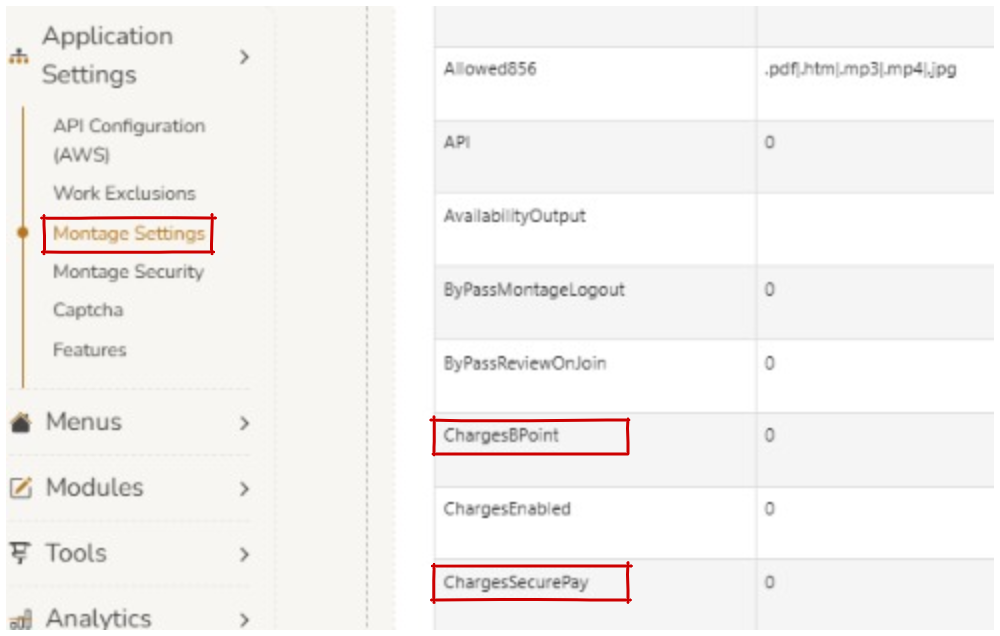 | |
| Library to your door function and payment portal is now available for customers. | 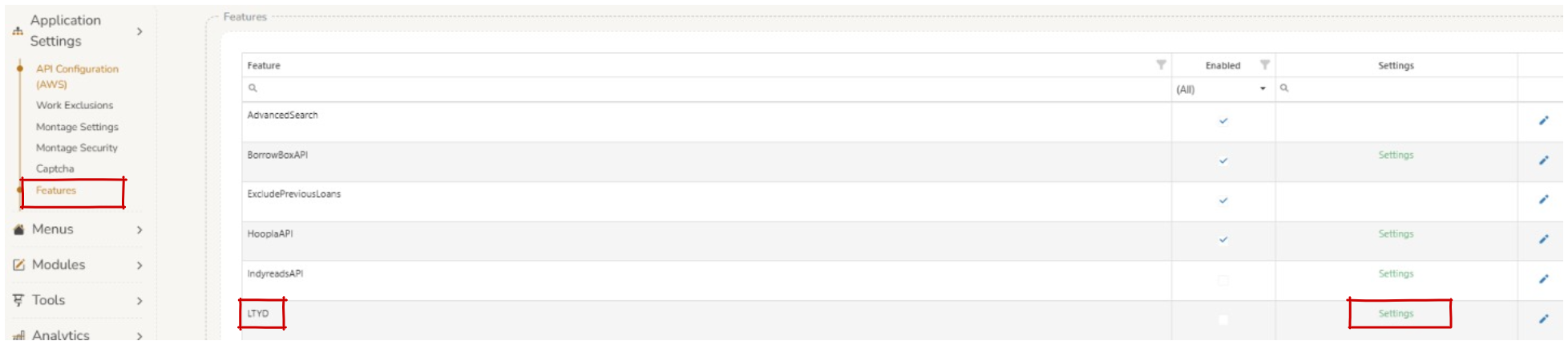 | |
| Montage Settings AllLibrariesAlwaysOn. New options exist to show/hide content when the database is within a consortia model. | 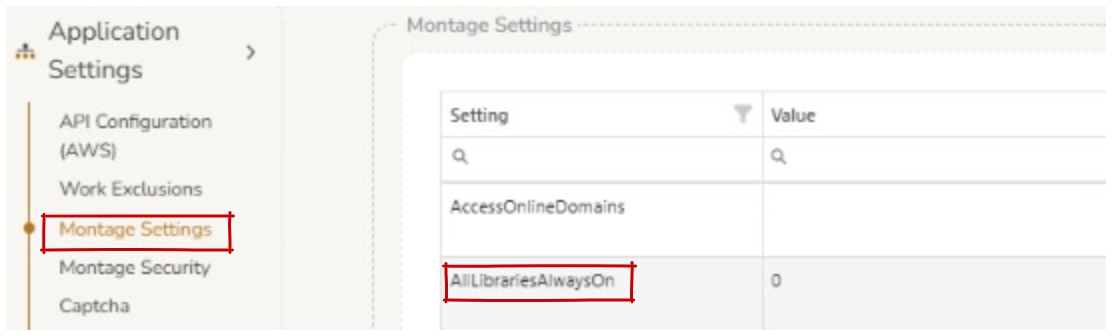 | |
| Montage Settings > HideFooterJoinMobile. Footer can now be hidden from ‘Join’ screen on mobile view. | 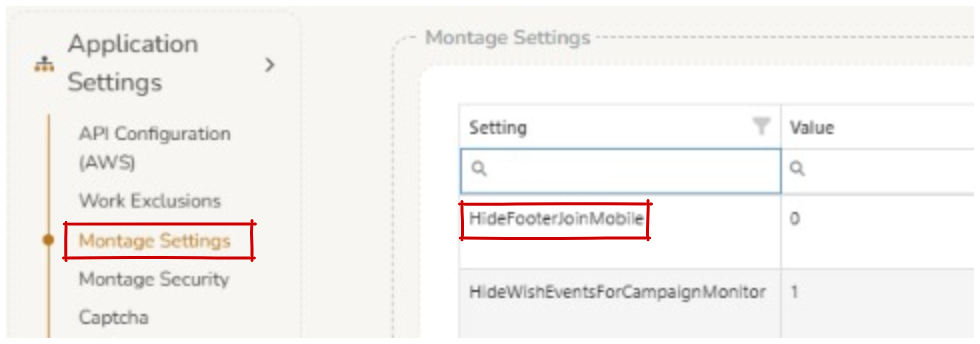 | |
| Features | Features. A new section has been added that allows the editing of Overdrive/Libby API settings. |  |
| Features > Single Sign On (SSO) feature is able to be applied to user login. |  | |
| Single Sign On (SSO) Configuration Migration. All SSO configuration has been moved from web.config appSettings to the Montage admin panel. You can now manage these settings at: Admin > ‘Features’ > ‘SSO’ > ‘Settings’ | | |
| Administrator can now choose to display Syndetics information or OPAC details first. |  | |
| LoginDisable. There is now an option to hide ‘User login’. | 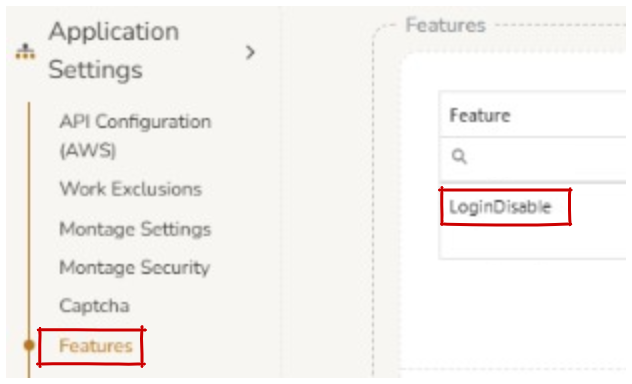 | |
| Home | Default page can now display 1 singular ‘Newly added’ carousel. | |
| Title Page button tool tip now matches button name. | ||
| News Alt Section. Dashes can be enabled/disabled for labels of ‘Library news’ on home page. | 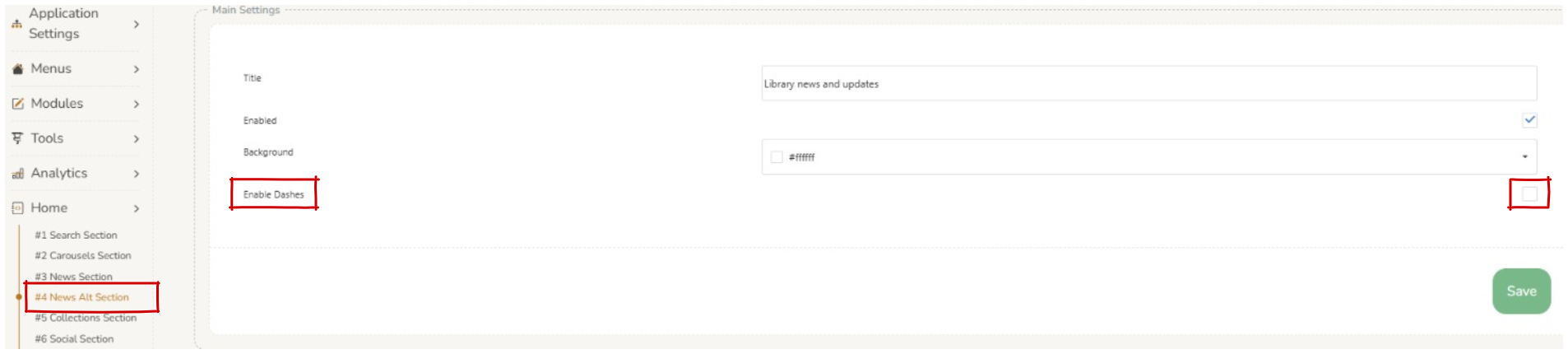 | |
| Html Files | ‘On Reminder Email’ is now editable. | 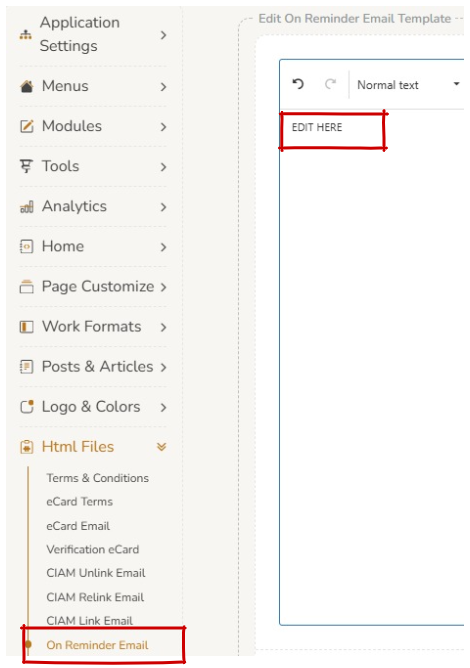 |
| Logo & Colors | Color Customize > Padding in Pixels. New setting has been created to allow padding to be set for the Top Navigation Bar. | 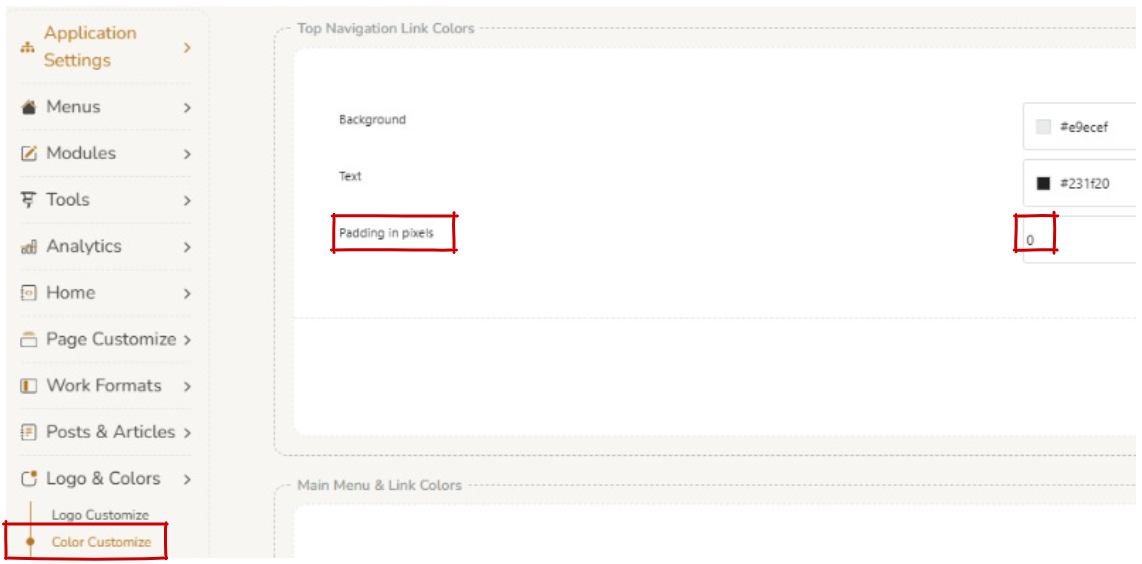 |
| Color Customize. The colour of the top navigation bar can now be customised. Requires a hard refresh (Ctrl + F5) to show changes. | 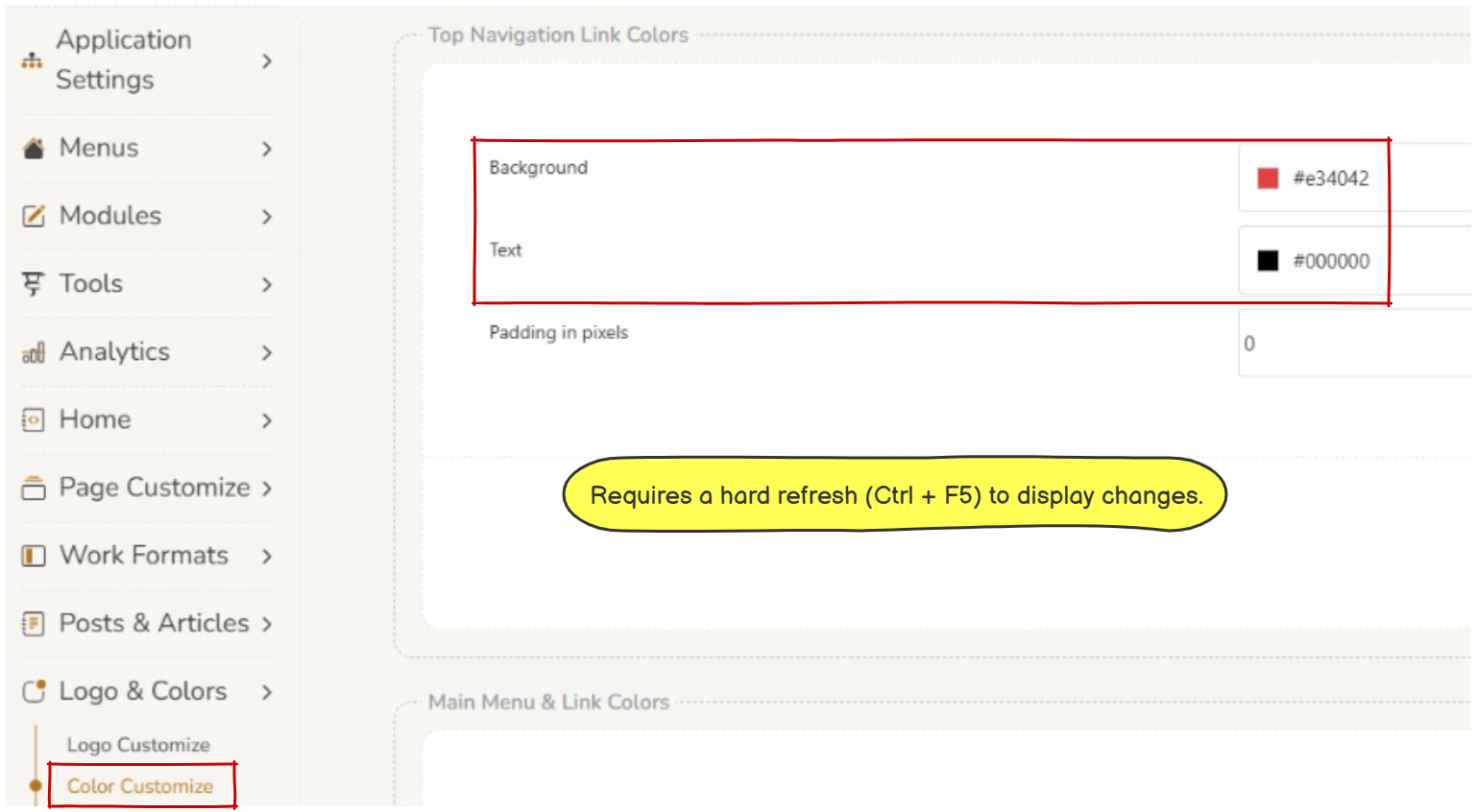 | |
| Logo Customize. The ability to update the site favicon is now present. | 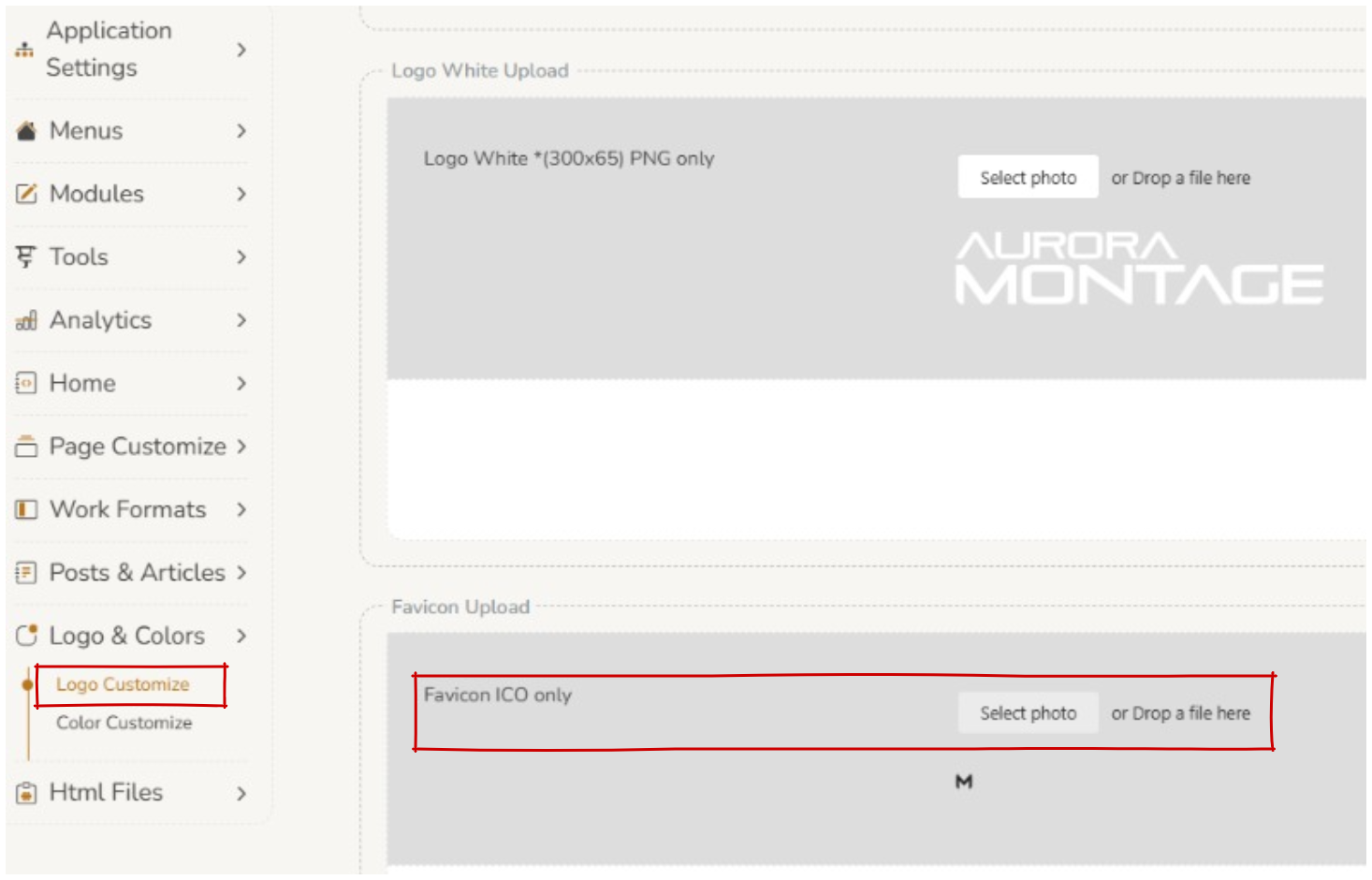 | |
| Menus | Top Nav Menu. Improvement to the display of the top navigation menu, operators can choose to display ‘Suggestions’ and ‘Inter-Library Loans’ separately. | |
| Miscellaneous | Operators can now authenticate with passwords with more than 10 characters. | |
| Implemented automated daily synchronization process for BorrowBox and IndyReads (Odilo) catalogue databases in Montage v2. | ||
| The ‘Login’ button has a consistent display to the rest of the pages. | ||
| Modules | Banner. Addition of a setting that allows padding to be set for the banner. | 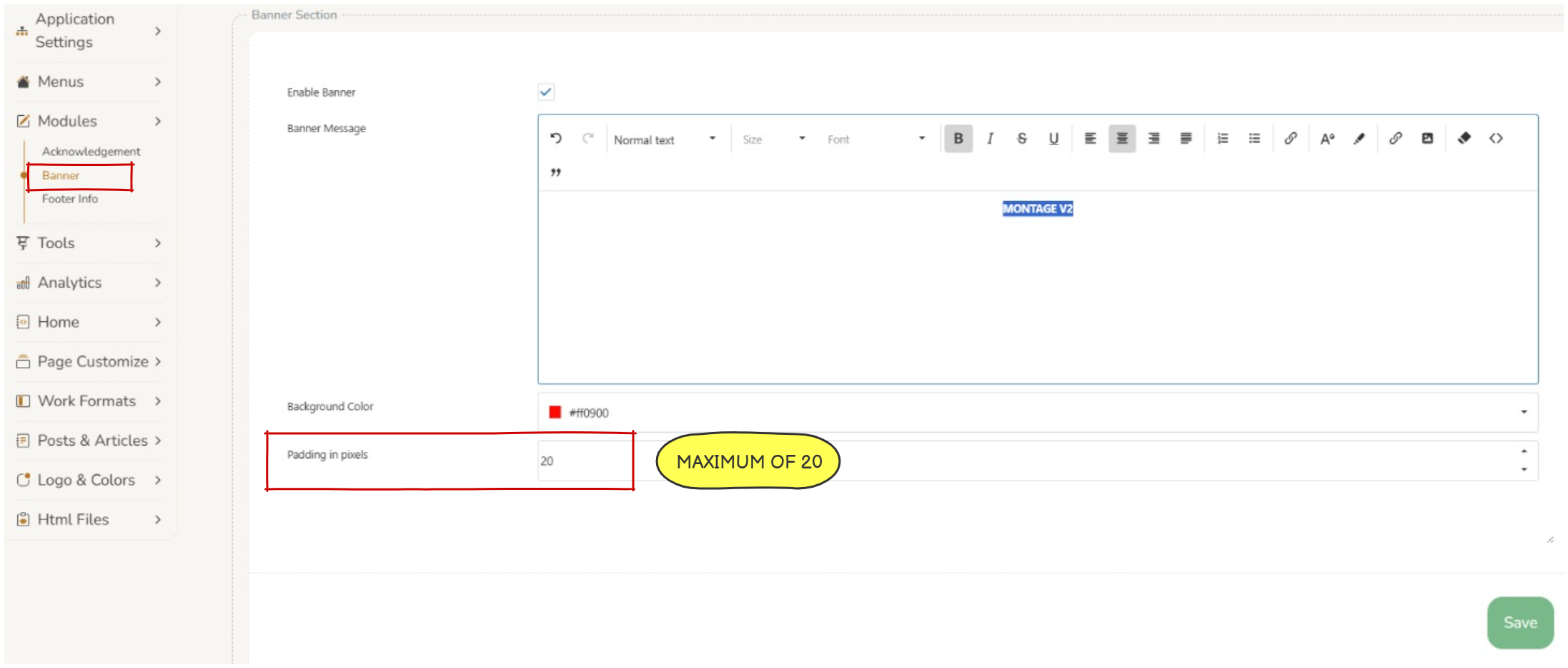 |
| Page Customize | Work Buttons. ‘Other Button Captions’ setting for ‘Wish List’ updates the caption on search screen, quick view, title page, confirmation message and user cart page. | 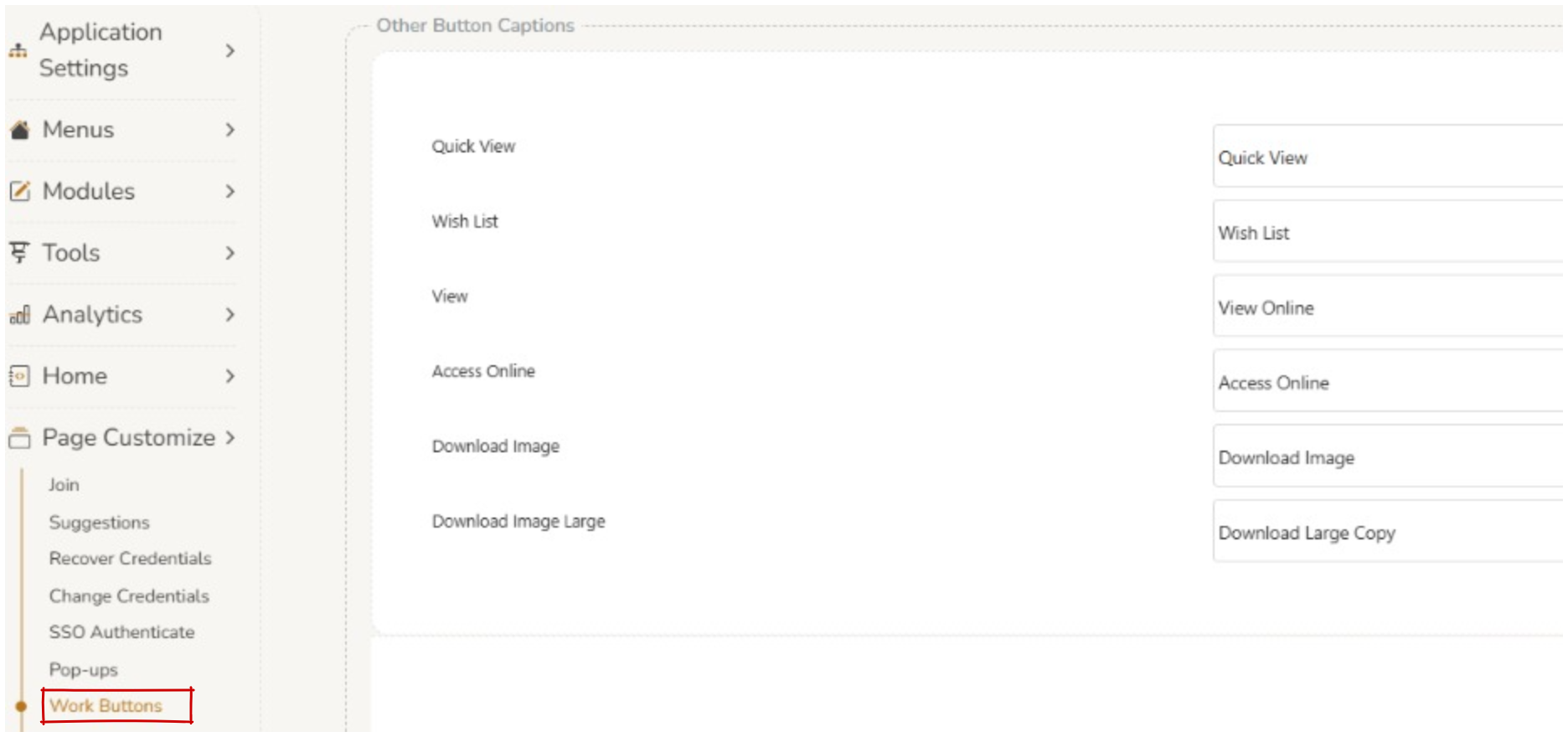 |
| Lists. The List section allows operators to create ‘Newly added’ lists, based on type of work e.g. books and additional filters such as item formats. | ||
| Pop-ups. Captions and placeholder text can be customised to be displayed as required. | 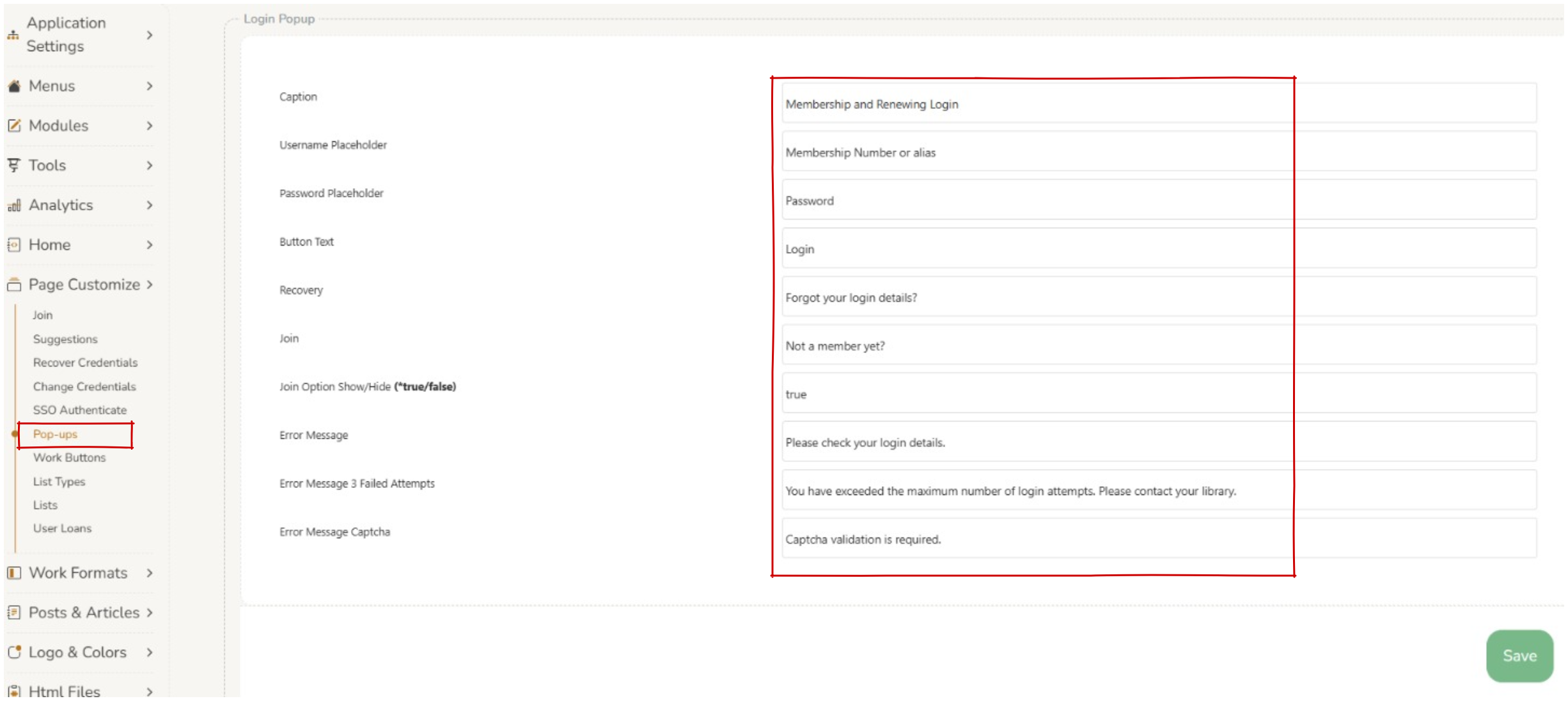 | |
| Pop ups. Show/Hide (*true/false) option now available to hide the ‘not a member yet link’ on the login popup. | 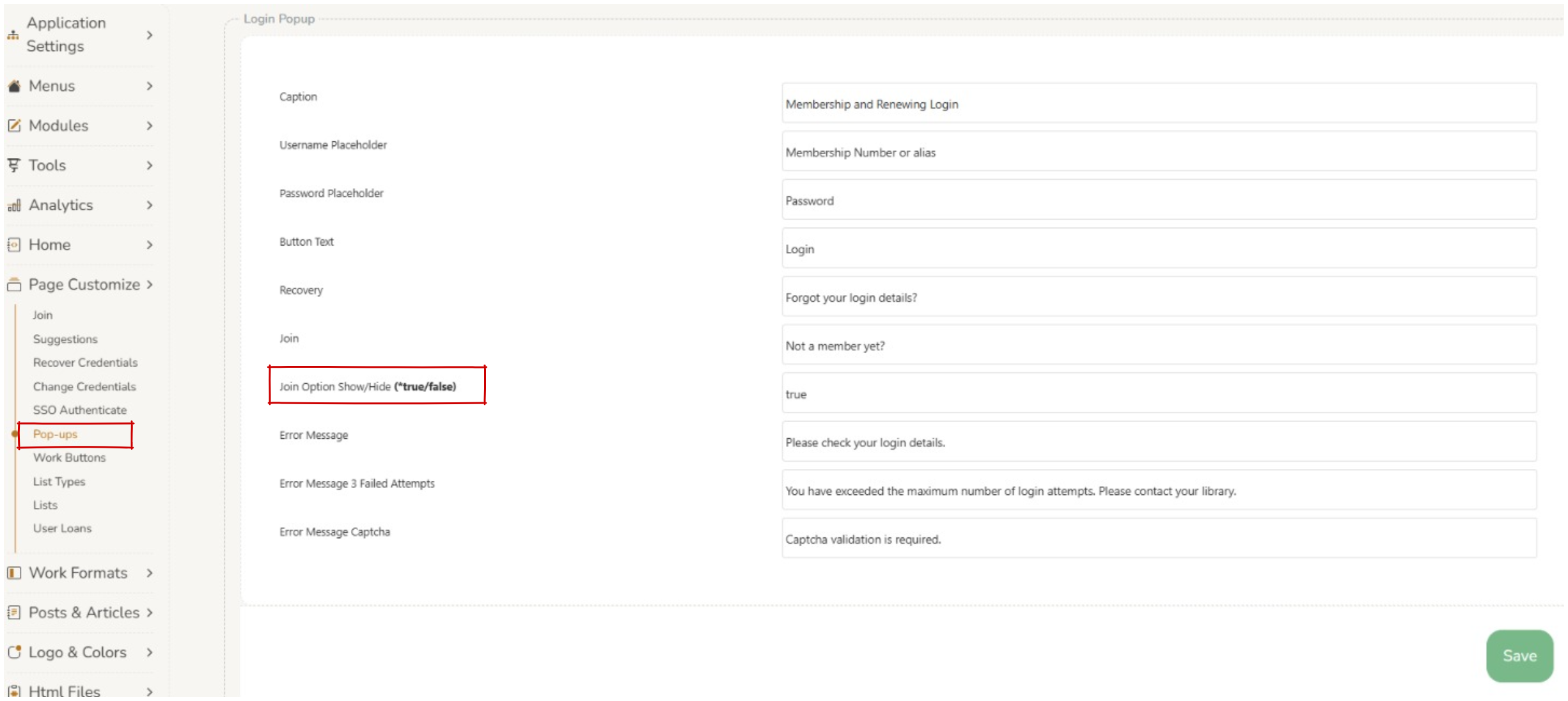 | |
| Join. New Feature, the option to not input a DOB is now available. |  | |
| Join. Join Form, the DOB date picker no longer requires the calendar popup to enter in DOB, users can enter in their date of birth by typing within the field. | ||
| Join. Administrators can change the captions for joining membership sections. | 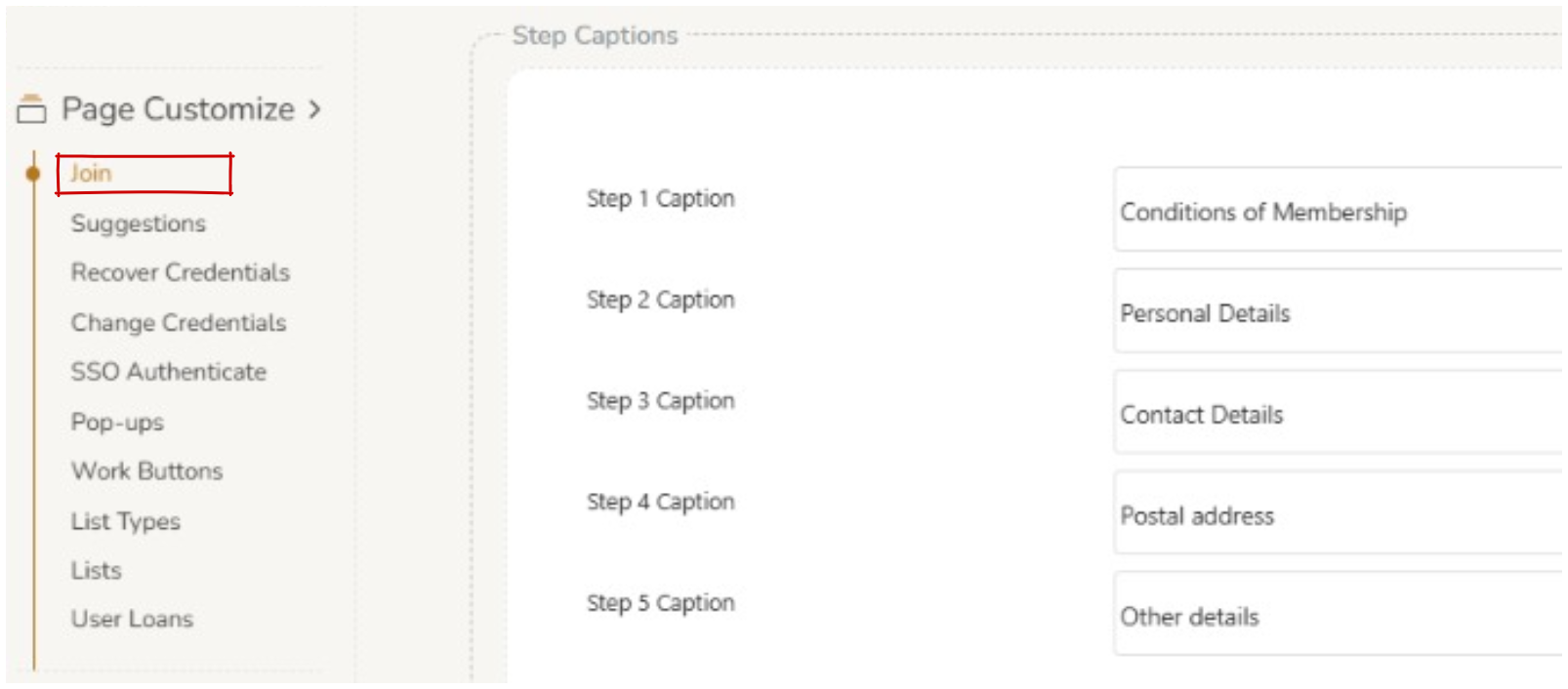 | |
| Join. ‘Title’ can now be added or removed from ‘Join’ screen. |  | |
| Performance | Resolved an issue where users had to clear their cache when a new version of Montage v2 was deployed. | |
| Enhancement: Implemented Bot Protection. | ||
| User Interface | The delay for the duration of displayed notifications is now 10 seconds for error messages and 5 seconds for success messages. | |
| Work Formats | Refinements. Refinement section now allows operators to customise the refinements on the left hand panel on a page basis. Exclusions can be added at the bottom of the ‘Refinements’ screen. A pop-up has been added to direct operators to see the changes in real time, they must clear the cache in Admin > Tools > Cache Monitor (clear browse and clear search). | 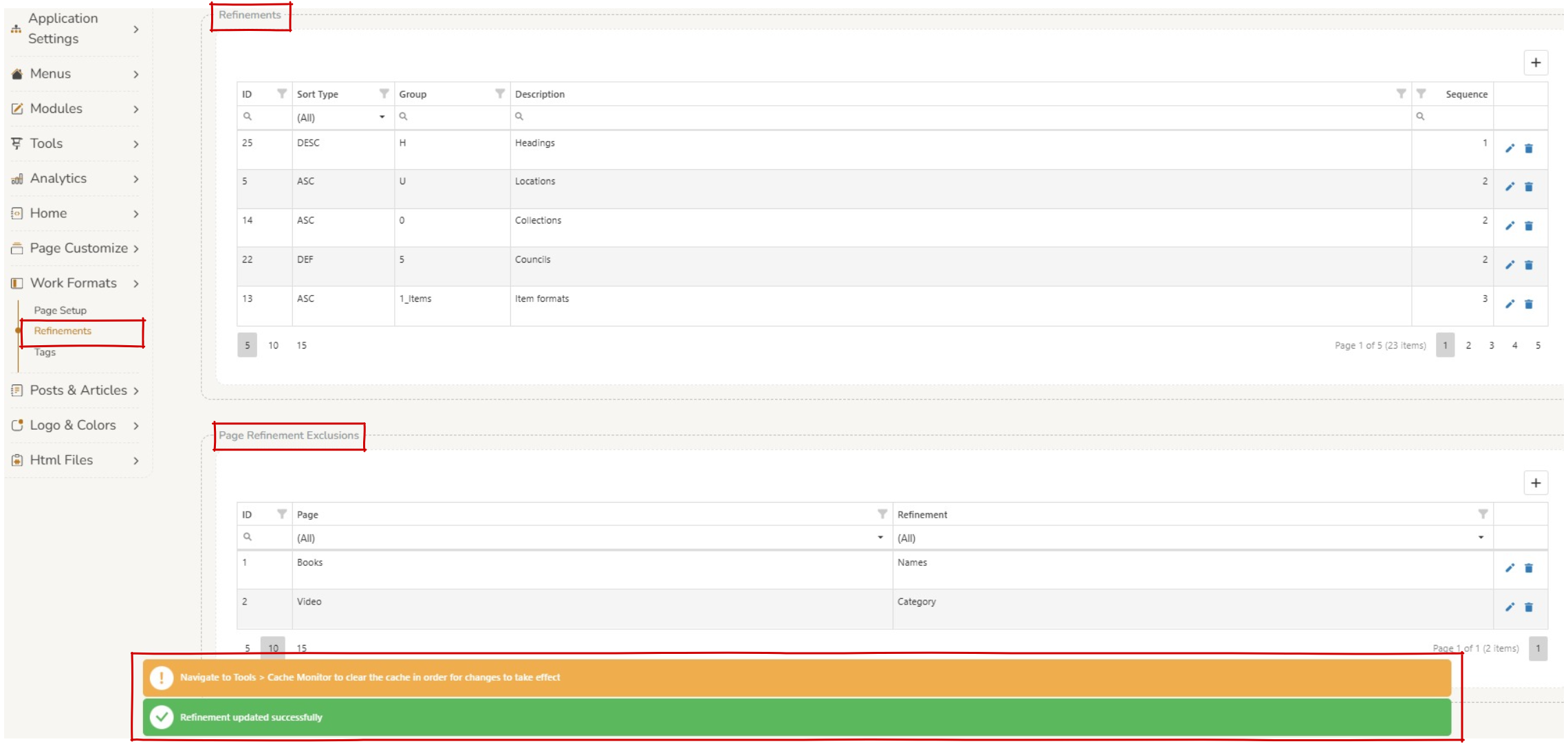 |
| Tags. Details content tag able to be added for different work types, including a default for all pages. | 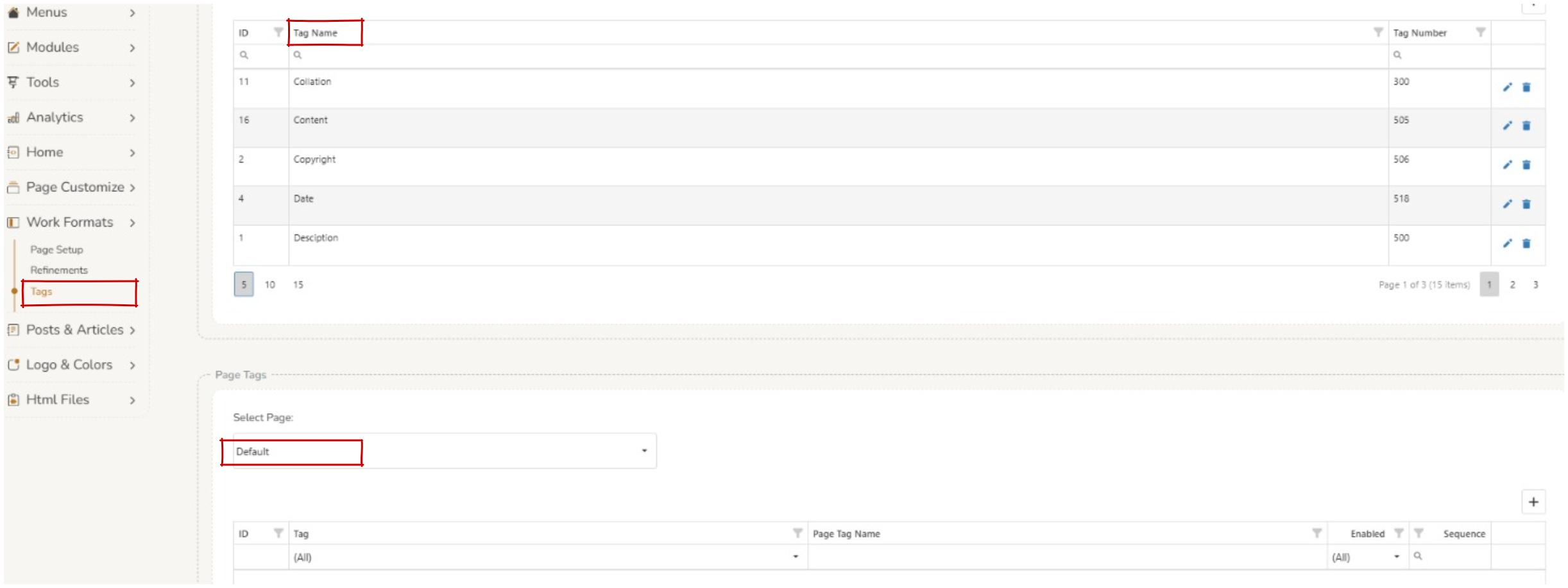 | |
| Page Setup. Operators can toggle on/off the availability of items for all work types. A pop-up has been added to direct operators to see the changes in real time, they must clear the cache in Admin > Tools > Cache Monitor (clear browse and clear search). | 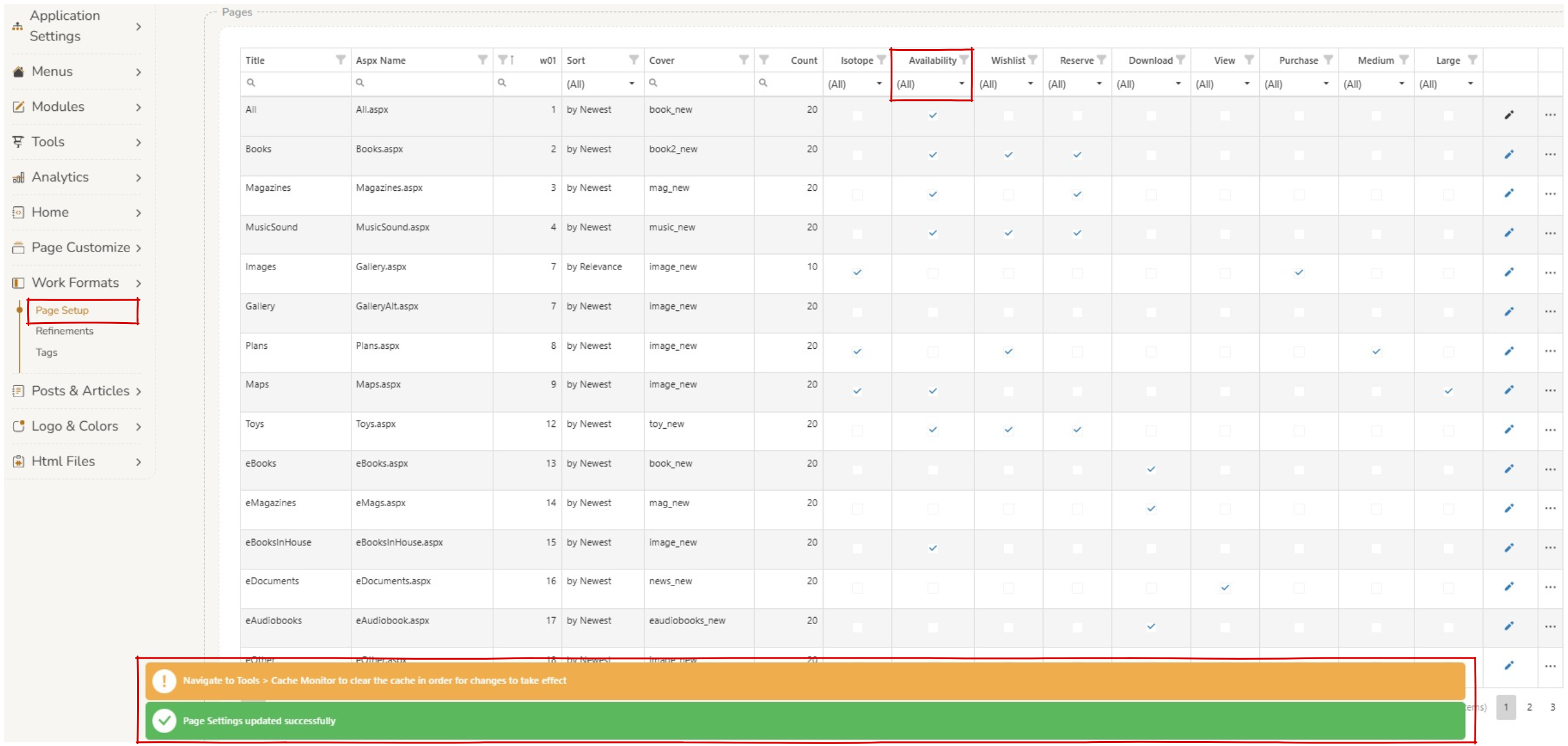 |
Bugs #
| AREA | DETAILS | IMAGES (Click to enlarge) |
|---|---|---|
| Features | Syndetics. Bug fix, enable the ability to turn on/off syndetics. |  |
| AdvanceSearch. New ‘Feature’, operators can hide the ‘Advanced Search’ option in the main menu. |  | |
| The ‘Purchase’ button can now be enabled to send email to library inbox even when a user is not signed into an account. | ||
| Home | Carousels Section. New carousel of linked works is available if the ‘Title’ has links in the database. | |
| Bug fix, remove carousel header when no carousel is enabled. | ||
| Search Section. Operators can now change placeholder text on the home settings search bar. | 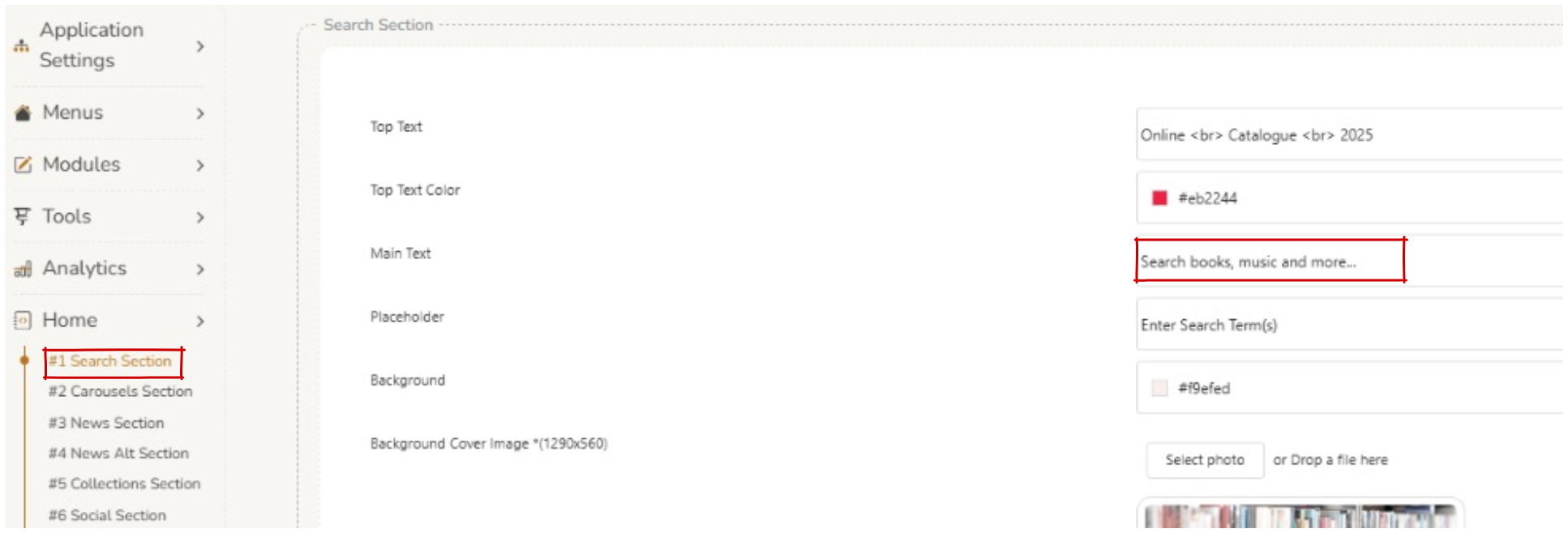 | |
| Logo & Colors | Color Customize. Main menu background colour now encompasses entire width of the page. | |
| Menus | Main Menu. Bug fix, slave drop down links in the main menu can be changed between visible/not visible. | |
| Search | Floor location can now be displayed on ‘Quick View’ screen. | |
| Bug fix, improve display of cover images. | ||
| ‘Access Online’ link is now consistent between search page, quick view and title page. | ||
| Improvements made to how works will display 20+ items on the screen. | ||
| Aurora Multimedia Cloud (AMC) Toys cover images will now display if the file description contains spaces. | ||
| Additional rules available on ‘Video.aspx’. Allow if the Title has a URL in it. If the ‘access online’ button is set for the page, the reserve button will not display. | ||
| ‘Availability’ information now displays on the ‘Scores’ page. | ||
| Improvement to magazine reserve module that displays error message when there are no items available to be reserved on the title. | ||
| Increased colour contrast on alert message when adding a title to a ‘Wishlist’ when it is already on the ‘Wishlist’. | ||
| An issue has been resolved with large cover images sometimes not displaying correctly on the work detail page | ||
| Bug fix – when the search button is clicked with no content in the search box, the screen will now successfully load. | ||
| When searching users can press <enter> to deliver results. | ||
| Images for works on the search screen are now clickable and display the same result as the hyperlinked title. |