
Banner #

The banner is displayed at the top of the page. Users can dismiss the banner by clicking on the  cross in the top right-hand corner.
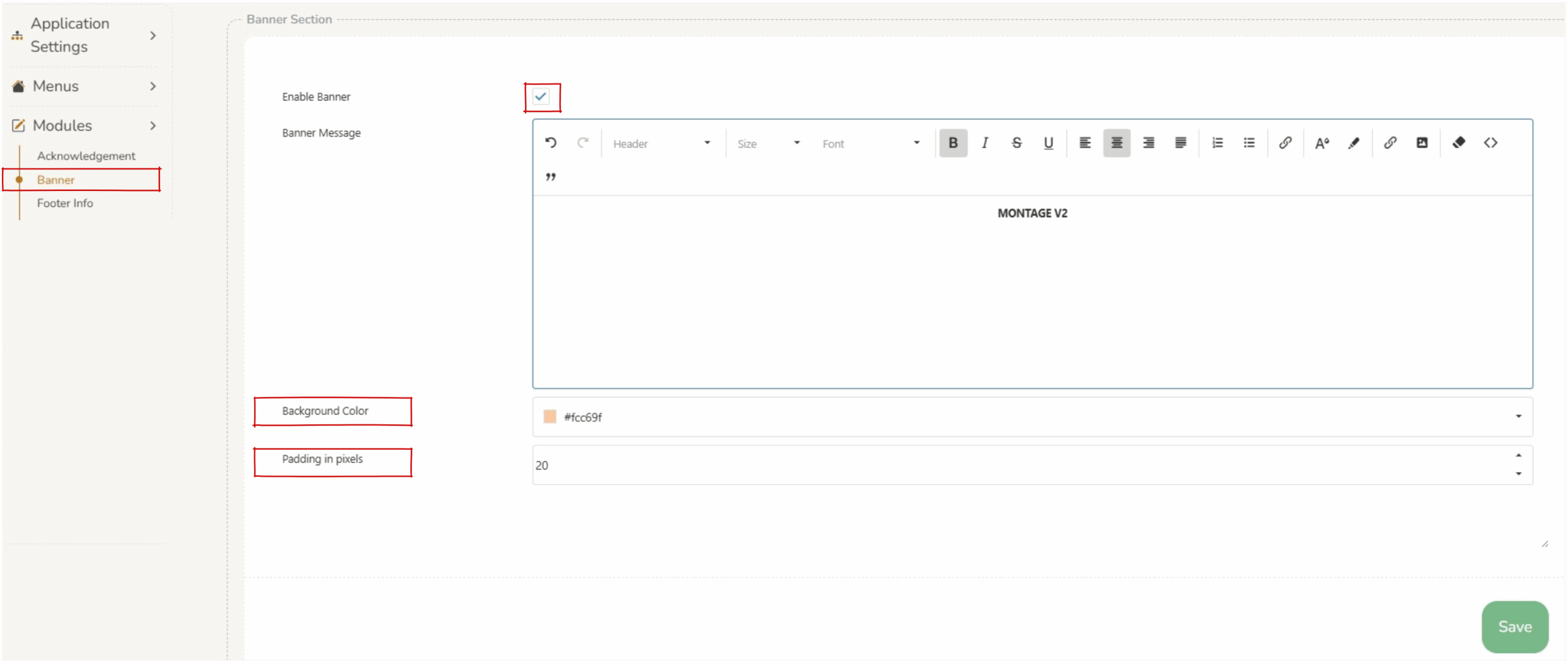
The banner can be turned on/off by clicking on ‘enable banner’. This must be saved (using the
  save icon) to apply.
The content of the banner can be edited in the ‘banner message’. Basic formatting tools allow for operators to create impactful content.
The color of the background of the banner can be changed by selecting a color in the ‘background color’ field.