Place an Order #
Please note the place an order page is under development, the work flow will be improved in the next Astria release.
- The work to be ordered must already exist in the catalogue (see Quick Work).
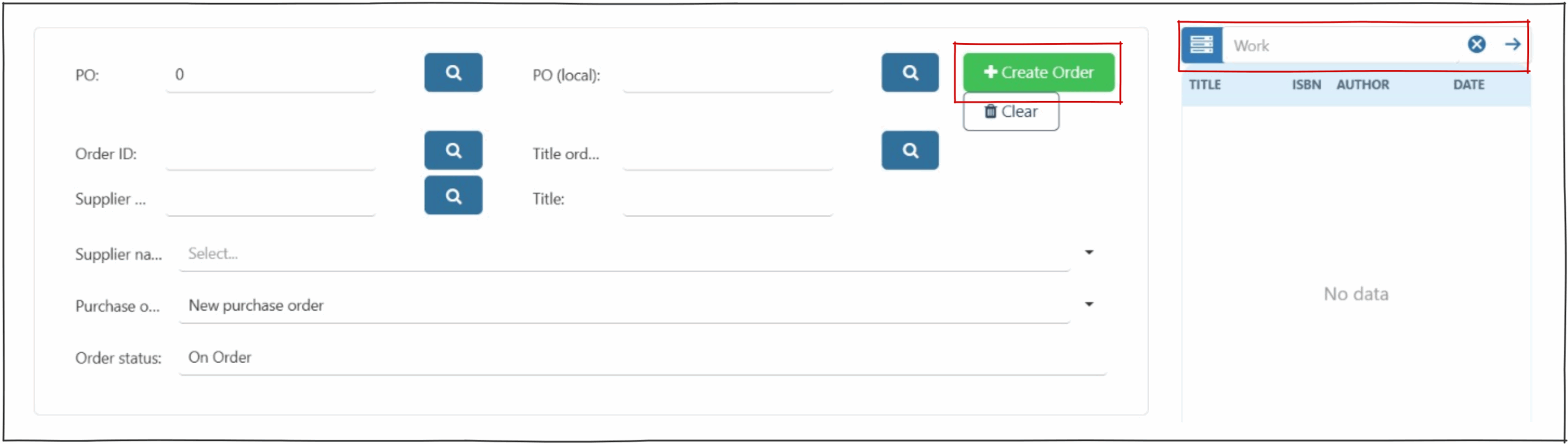
- Click on create order
 button.
 - Screen will display ‘New Order’
 .
. - Search work (ISBN or title)
- ‘Supplier name’ field – search for the supplier in drop down.
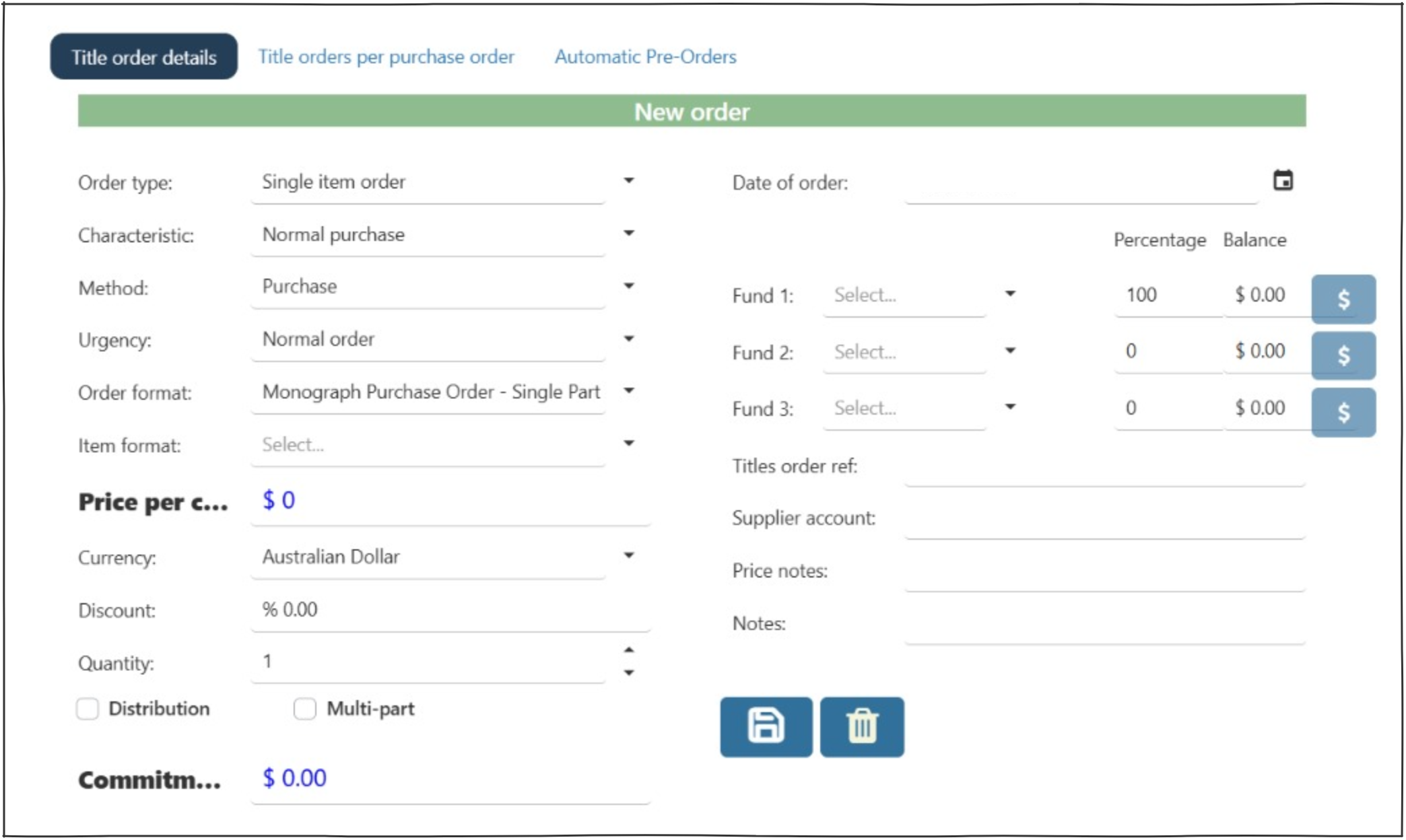
- On the lower screen – most fields are pre-populated, but can be changed as required.
- ‘Item format’ – select from drop down menu.
- ‘Price per copy’ – if order is for a serial this value MUST be the total value of the order, not the individual copy cost.
- ‘Quantity’ – defaults to 1.
- ‘Commitment’ will reflect price * quantity.
- Select a ‘Fund’ to assign cost.
- Save.
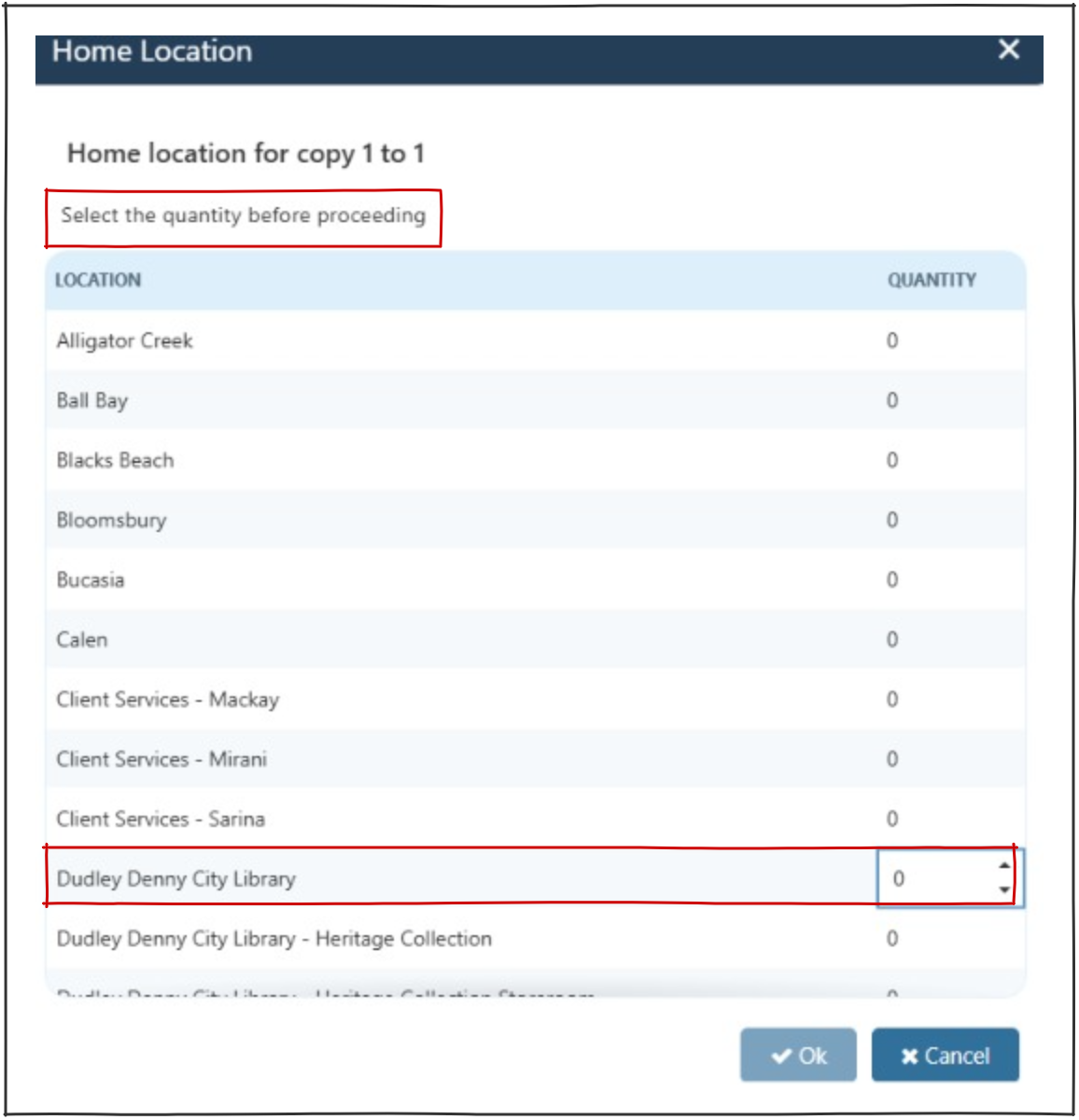
- Home location pop up will appear.
- Click on the location required.
- Select the number of copies to be assigned to this location (minimum is 1).
- OK
- Page will change to display existing order.
 .
.
Operators can view the orders for this supplier on Tech Services > Suppliers.